Here are 5 free Graph making Websites to create graphs online as they communicate information right at a glance. These websites will help you with various chart tools such as chart making, online graphing, and more.
You can create Pie Charts, Bar Charts, Line Charts or Area Charts, basically the websites work like a chart maker. Lets get into details of each Graph maker.
Google Chart Tools
Google Chart Tools is one of the most popular online graph maker that allows you to create charts at zero cost. There are various types of charts available such as Line Chart, Bar chart, Pie Chart, Venn Diagram, and Scatter Plot with which you can turn your data into beautiful graphs or charts.
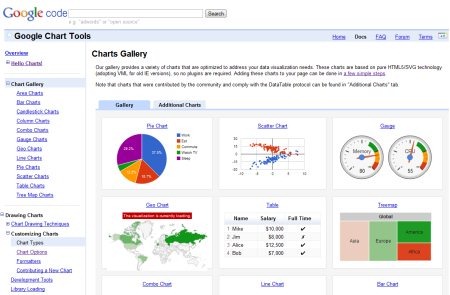
This free graph making website is very simple & easy to implement.
Some Key Features of this Graph Making Website:
- Rich Gallery: Allows you to choose from among variety of charts such as Bar chart, Pie chart and more.
- Customizable: You can customize chart according to your data or style of your webpage. Every chart exposes a number of options that customize its look and feel.
- Controls and Dashboards: You can easily connect charts and controls with interactive Dashboards.
- Free: Google chart Tools is completely free with three years of backward compatibility guarantee.
In short, Google Chart Tools is a must for all web developers. Go ahead and try out yourself.
Feel free to browse around a Software to draw UML diagrams and Flowcharts reviewed by us.
Chart Tool
Chart Tool is another popular graph making website that lets you build your own graph/chart in 5 quick steps.
You can choose from among variety of chart types such as Bar graph, Line graph, Area, Pie Chart, Radar, Scatter, Bubble chart, Meter, and a few more.
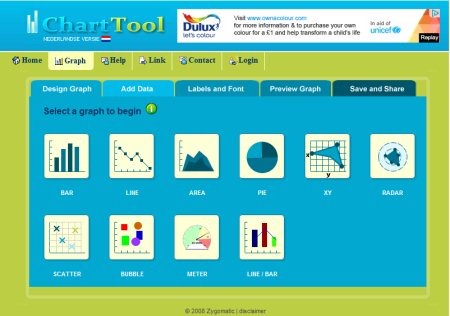
How To Create a Graph using this Graph Making Website:
- Go onto the website
- Select a chart type, for example: Bar Chart, Pie Chart, Line chart or any of the given ones.
- Add Data related to number of items, and groups
- Set font type, font size, or other settings
- Once you are done with all the steps, click on “Preview” to view your chart
- Make changes if you are not satisfied, or Save & Share once you find your graph satisfactory.
You can create graph for yearly Car sales, Elections, or for making comparisons between two different objects. Go ahead and create a graph free..!
You might also like a Ping program to create Graph of Ping Response Time reviewed by us.
CHARTGIZMO
CHARTGIZMO is a free graph making website designed specifically for making graphs and creating charts online in a few quick steps. You can design your own chart.
There are variety of chart types available to choose from such as Pie, Bar, Line, 3D Pie, 3D Bar, 3D Line, Ring, Cartesian or XY, Candle, and Time Series. You can now create charts for your website, blog and social network profiles.
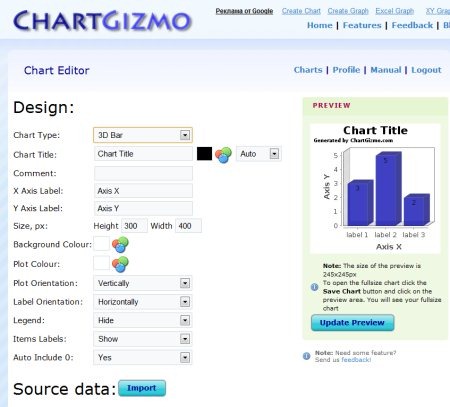
In order to get started with this graph making website, you need to register yourself with the website. Once you have registered yourself, you can create a new chart, else you can also view history.
However, “View History” option will work once you have created and saved a decent number of charts in your ChartGizmo account. Go ahead and sign-up for free..!
Hohli: Online Chart Builder
Hohli is yet another excellent graph making website to let you create 3D Graph or 3D Chart in just a few clicks.
You just need to select a chart type from among variety of given ones such as Line graphs, Bar graphs, Pei charts, Venn Diagrams, Scatter plots, and Radar charts. Thereafter, select a chart size, submit data, adjust settings related to Axes, Background color, Grid, and a few more.
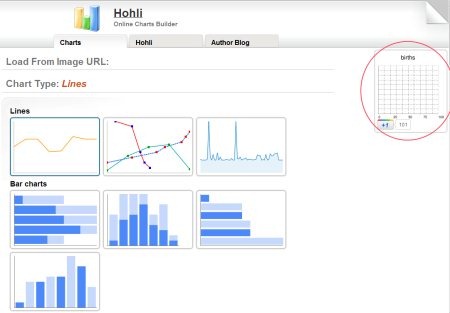
While performing each step, you will find a small preview of your chart at the right side of the page. Click on that small preview chart once you are satisfied with all the settings. You can also add your chart to Bookmarks. Go ahead and create a chart or create a graph free..!
Also check out our featured post on Print Graph Paper.
ChartGo: Create Graphs Online
ChartGo is one more powerful graph making website that lets you create graph online quickly. You can create Bar graphs, line graphs, pie charts, and many more.
This free graph maker also lets you select the dimensions, for example you can create 3D graph or create 2D graph.
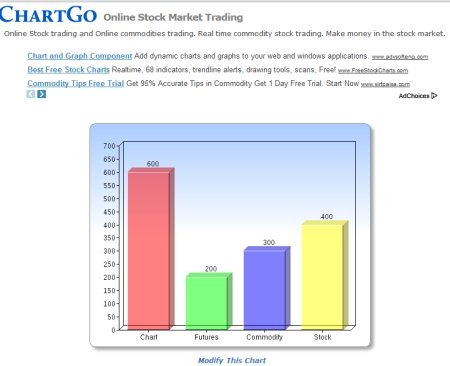
After creating a graph, you can share Graph with others through social networking websites such as Facebook, Twitter, or quickly send an Email. You can also embed chart on your blog.
Just select a chart type, submit data, adjust settings, and create a graph. Go ahead and make graph for yourself..!
