E-Z Media Converter is a free media converter that lets you convert various audio and video files to different format. You can use this free media converter to convert between different media file formats. Once you have converted a media file, you can now play it back on different devices. And above all, it’s totally free to download!
This free media converter supports tons of media formats including *.avi, *.flv, *.wmv, *.mp4, *.aac, *.flac, *.wav, *.wma, and *.mp3. It supports both audio and video formats. So, you can use it as both free audio converter, as well as free video converter. No need for separate software for both.
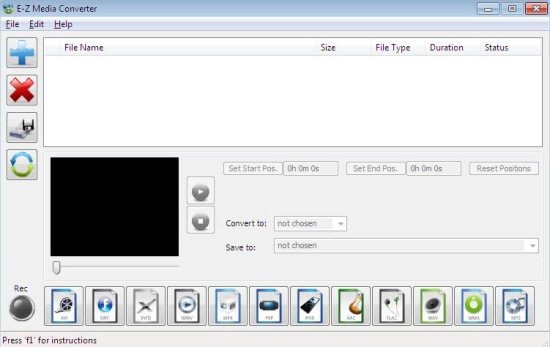
This freeware media converter converts audio and video files to formats that are compatible multiple portable devices like PSP, iPod and other multimedia devices. This audio and video files converter has very good conversion performance. It is able to convert files from one format to another very quickly.
Key Features of this Free Media Converter:
- This media converter is virus-free.
- You can easily convert between different audio files.
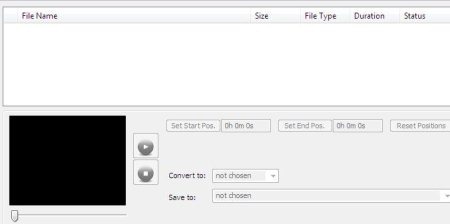
- You can even Convert between video files.
- It is a portable media converter.
- This audio and video converter is completely free.
- Easy to use and quick to access.
- Multiple short keys are enabled to use this audio and video files converter.
- Supports multiple formats like*.avi (Xvid/DivX & including Windows), *.mp4 (mpeg4,iPod/iPad & including PSP) and lot more.

- You can install converted file to any destination, even directly on SD card and USB drive.
- Even if you uninstall this program, it will be completely removed from your desktop without any trace.
How To Install E-Z Media Converter To Your PC:
- To install this media converter to your PC, click here.
- Click on “Download” file link.
- Double click on the setup downloaded.
- Follow further instructions to install this media converter to your PC.
E-Z media converter automatically gets installed to your PC. This media converter has a user-friendly interface, which is easy to use and quick to access. Above all it’s totally free of cost. Love it!
