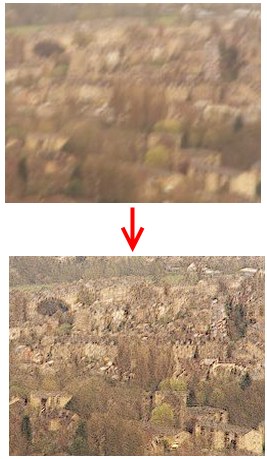
UnShake is free photo editing software that, as the name suggests, will sharpen blurry digital photos. Of course, the results may vary depending on the picture. However, your satisfaction is guaranteed. With a really simple interface, UnShake requires no complicated settings or any knowledge of other image editing software.
How many times have you thought you’ve just taken the perfect landscape picture just to find out later on that it’s blurry and shaken? It happens to everyone at least once or twice in a life time. Maybe in the past you would just cry over the spilled milk. However, a smart team of developers came up with this awesome free photo manipulation tool. All you really need to use this great image editing software is a blurry picture. In a matter of seconds UnShake will fix your blurry image. Frankly, I haven’t seen this type of feature even in some of the advanced image editors like Picasa, and Windows Live Photo Gallery.
If you are looking for some more complex and comprehensive free photo editing software that can still sharpen blurry digital photos, StudioLine PhotoBasic 3 is an excellent tool for the job.
How to Use Unshake:
Using Unshake is quite simple. All one needs to do after downloading and installing the free photo manipulation tool is follow a few basic steps in order to sharpen blurry digital photos.
The first thing you need to do is open the picture you want to fix with the free photo editing software; dragging and dropping works but you can also click on “Open” and choose the picture. After that you have to choose how badly blurred you think your picture is, you have two options: “severe” and “normal”. Choose one of them according to the picture’s condition.
When you’re done with the settings you can simply click on “DeBlur” to make UnShake sharpen blurry digital photos. It may take a while until the free photo manipulation tool is done repairing your picture so you’ll have to be a bit patient. Once it’s done you can find the picture in the folder “results” with the same name it had before.
Features of Unshake:
- Quickly Fix your blurred pictures.
This is an excellent free photo manipulation tool for people who regularly need to sharpen blurry digital photos. For those who want more complete image editing software, online tools like Pixer and Splashup are good choices for you.
