Editor Ratings:
User Ratings:
[Total: 0 Average: 0]
Google Reader Free is a Google Reader App For Windows 8 that enables you to read your RSS feeds in an intuitive tile-based interface in Windows 8. This free Google Reader App allows you to sign in with your Google account and read and sync the RSS feeds from your Google Reader account. 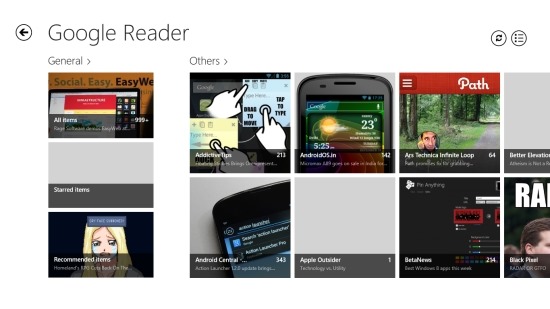
This Google Reader App for Windows 8 can be described as modern, good looking, and elegant and offers the user best RSS reading experience. The application has one downside that it might be too simple for some of you guys.
How to use Google Reader Free:
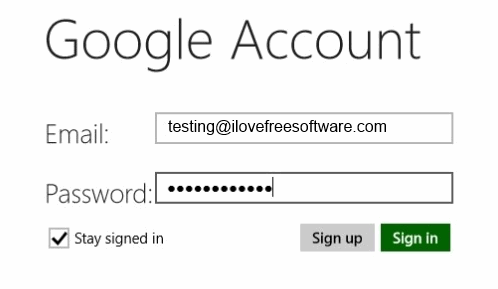
- The application is really easy to use. After you have downloaded and installed the app from the Windows App Store by clicking on this link, just run it and you will have the interface as shown in the screenshot below. Here you are supposed to add your Google credentials, and checkmark that says stay signed in, otherwise you will have to login every time you open up the app. If you do not have a Google account then this app also provides you with the option to sign up by clicking on the sign up button which will simply open up the sign up page on your browser.
- After you have singed in you will have the main window of the app like shown in the first screenshot of this post. I noticed that the app quickly loads up and show up all you feeds in a simple and nice looking interface.
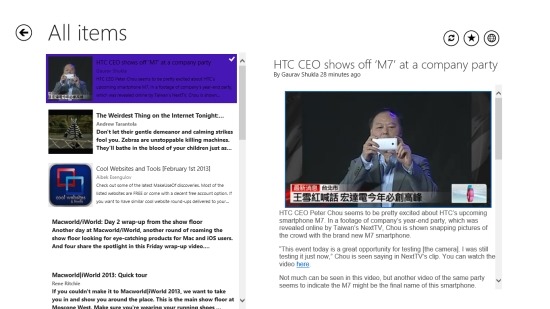
- This Google Reader app for Windows 8 shows all your feeds in the general tile which is located on the left most part of the windows. Clicking on this will allow you to see all your feeds in a simple to navigate interface as shown below. The app allows you to star your favorite article by clicking on the star button.
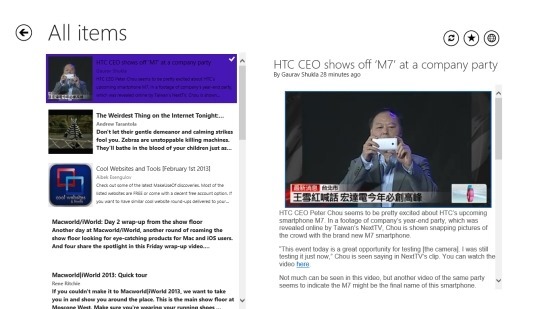
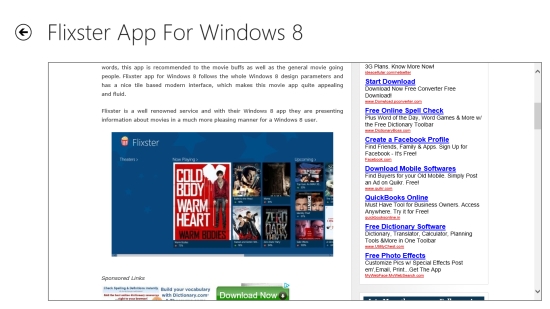
- Also, you can open up a post inside the App i.e the original web page of the RSS feed. To do so, just click on the global button which is located on the top right corner of the window as seen in the above screenshot. One thing that I noticed was that the app loaded the web pages quite slowly as compared to on a normal web browser.
- If you prefer to read RSS from a single provider instead to the unified list then you can browse the others which is located on the right side of the apps.
Verdict:
This free Google Reader App for Windows 8 is extremely simple and fun to use. But, I would like to have the option to at least customize some basic things. Anyway, if you prefer simplicity then this app might just be for you.
