LazPaint is a free image editor which is written in Lazarus from which the name of this free PaintBrush alternative has originated. Though it is a completely new software it has a good number of features which will impress you from the first use. It has features like antialiasing, alpha blending, BGRABitmap, etc. which are unusual for the first edition of a software. Other than these you can undo multiple steps after doing more than one errors, you can select from any picture using any shape, rotate pictures, apply different filters on the pictures and do many things which will make you replace your big old photo editors which you used only for retouching photos. It is a lightweight alternative to all those photo editors.
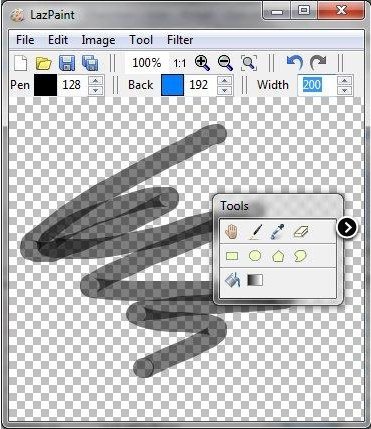
Using this photo editor is very easy. If you have ever used any kind of photo editing software you will understand the whole software in a minute and if you have not used any of them before it will take a few more minutes, but it is really hard not to understand the use of this software. At first open any picture using the File menu and then experiment with those according to your wish. You can apply filters from the menu bar or do some basic editing from the Tool menu or Image menu and in the end save them as a new file after choosing a quality.
LazPaint can work with a good number of formats as both inputs and outputs which makes it a good, free picture viewer too. The basic tools are all present in this software and if this software’s tool cannot satisfy you then you need to use a premium software like Photoshop which is really costly. As a simple, free picture editor or photo retouching application LazPaint has its own value.
You can also try Fun Photo Box, Artweaver and VirtualPhotographer reviewed by us.
Features of LazPaint:
- Very easy to use from the beginning
- The interface is very simple and clean
- The download and installation size of the software is very small
LazPaint is a windows only software. Try LazPaint free.
