Gobbler is a great, free backup utility for backing up, transferring, and organizing audio files as well as assets. The program integrates the major DAWs for helping you to keep all your files secured while expediting the process of sending or receiving emails. You can backup audio files, organize audio files using this free audio backup tool. Moreover, with this tool you can access your folders or files from any location you have access to the internet. The other fact that makes Gobbler handy besides organizing audio files is the ability to send any file type without any restriction in the size of those files.
Installing and Setting Up this free audio backup tool
In order to install this free audio backup utility and start using it on your computer you need to visit the link here and click on the download button. After you do so the download process is started and the executable file gets downloaded on your system. Run the installer and install the program in your system by clicking on the required options. The moment you are done installing the free backup utility, you need to launch the program on your system where it would ask you to login through your Facebook or Twitter Id. You may even create your own Gobbler id through the options available. You can also try ADrive, Badongo and Cobian Backup for backing up your audio files and other important files.
Using this free audio backup tool
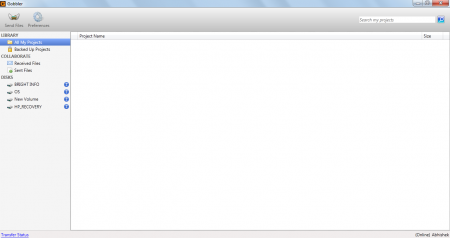
You can use Gobbler irrespective of the fact that the project or files you have are on a local drive or an external drive. The program would make sure that they are backed up even though you may move the drives from one to several computers. When launched the interface of the program looks quite simple and with a few options on it. The left side of the window has the drives available for backup along with the list of all the backed up projects by this software.
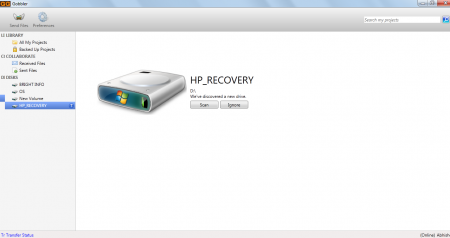
To start the process the first thing you need to do is to click on the drive from which you wish to back up. Once you do that you would be shown the option of scanning or ignoring the particular drive for the backup option. Now you should click on the Scan option which will scan the respective drive and search for the audio, video, and other selected files on that particular drive.
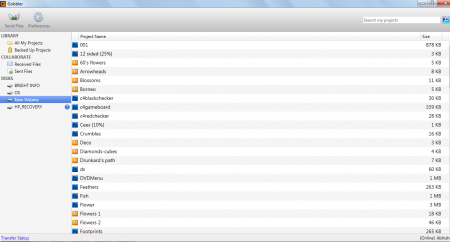
This would list down all the searched files from that particular drive and list them down in an alphabetical order. You can select the file you wish to backup which will open up a new window at the bottom giving you the option of Backing up that particular file. Here you can add tags and press the backup button to have it on the cloud servers.
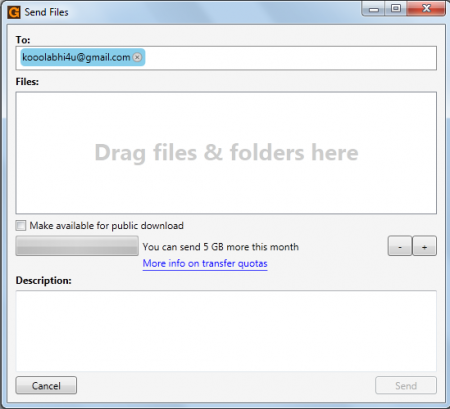
You may even transfer files using this software by clicking on the send file option at the top. You just need to enter the email id of the person you wish to transfer the files and drag and drop the files or folders which you wish to be transferred. The space provides you to send up to 5 GB file each month with an option to check the field ‘’make available for public download’’. The bottom most section named Description provides you the space to add the description related to the file that has been backed up. Lastly click on the send option at the bottom most section and the file would be sent to the respective email address.
Overall, Gobbler is a very handy application which meets all your requirements for backing up files, accessing them from any place you wish, transferring them online and much more. One surely needs to try it before accessing the real capabilities of this software.
