Update 2022: Flick and Share no longer exists. We recommend you to try some other tool to download Flickr Albums.
Flick and Share is a free web app which allows you to share a complete album with your friends and loved ones in just one single click. Sometimes, it happens with many of us, when we need to share a Flickr set of one event- say a birthday, a graduation party, a wedding or other small various events and we also want our friends to be able to download all the pictures easily if they want. But unfortunately, it never happens and we end up downloading few pictures and cancelling all the others, since we need to give loads of time to downloading process. This is where Flick and Share come into play.
Although, you are required to have a Flickr account in order to share Flickr photo/s, however, you absolutely do not require any account to download a shared set. There is no limit to the number of photos to be shared or downloaded. In addition, it also allows video support which means you can very easily share and download the original video using Flick and share. The availability of highly provocative features makes it worth trying out.
Some Features of Flick and Share:
- Easy to use “grandma-proof” with just a couple of clicks to share and download
- Photo’s EXIF data is preserved
The best part is that you can do all such things in just a few clicks. To get started with Flick and share, you do not need to download any software. All you need to do is- create a Flickr account, if you do not have one, else you can sign in with your yahoo account and allot “Flick & Share” reading to your Flickr account, thereafter follow the below given steps.
Here is how to get started with Flickr and share:
- Choose the set you want to share
- Choose if you want to share all the photos or filter them by privacy policy
- Get your short link and share it with your friends, family, or whoever you want in the world
You can take a look at the home page image of Flick and share to get familiar with it:
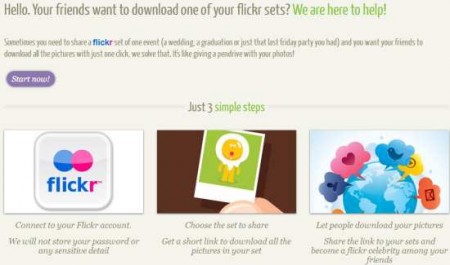
You can also check out other online services which offer photo sharing like Shutterfly share sites, min.us and GalleryHosted reviewed by us.
Flick and share helps you share a complete Flickr set, thereby allowing you and your friends to download a complete album at full resolution for backup or printing purpose. It lets you choose which set to download, giving back a unique private link that you can share with your friends, family or colleagues.
