iPadian is a free iPad like software for Windows that gives you a complete visualization of iPad, right on your desktop screen. This iPad simulator for Windows is one of its kind which gives you a iPad flavored taste on your PC. This iPad simulator for Windows is an Adobe Air software which is designed for those who are extremely fond of this gorgeous gadget, iPad. The interface is exactly like iPad. iPad is creating a huge buzz in the App Store, however, there are people who can not afford to get one. This iPad simulator for Windows is designed basically for those who want to taste the screen of an iPad. Working on iPadian by clicking on those candy looking apps is absolutely amazing.
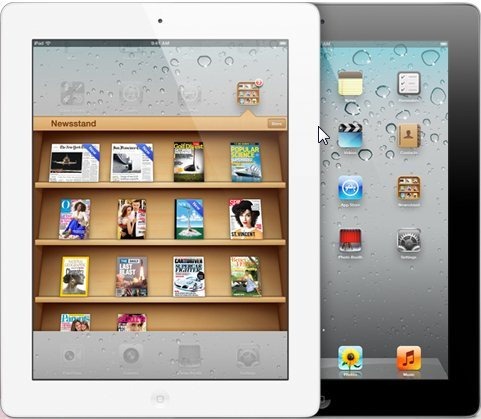
This excellent iPad simulator transforms your PC Screen to a stunning iPad screen with lots of apps already stored in it. The virtual iPad simulator for Windows consists of an App store from where you can download various apps and make it look more attractive.
However, you need to have Adobe Air installed in your computer in order to run this ultimate iPad like software. In addition, iPad simulator also includes a locking feature by which you can lock all the apps. To lock the entire iPadian, go onto the “Settings” option and create a Login ID and password. No one would be able to access your virtual iPad until he\she knows the password.
Bring Windows 8 Metro Desktop on Windows 7. Else you can also Download Windows 8 Free.
Some Key Features Of iPad Simulator for Windows:
- Stand alone iPad like software which gives you a virtual taste of an iPad.
- This iPad simulator for windows includes full screen preview.
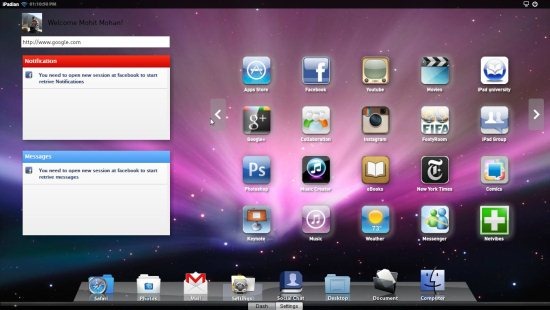
Guess whether it’s a screen of an iPad or PC? Well it’s a PC screen looking similar to that of an iPad. I have customized the background but when you will launch this software, you will come across the default background which you can change by going onto settings option.
- It includes custom app store from where you can download various other apps.
- It also allows you to access Facebook and supports it’s notification and messages.
- You can play games and access free music and videos.
- Webkit browser for browsing.
iPad users can check amazing free iPad Apps reviewed by us.
How To Download and Install iPad Simulator:
- Go onto the home page of website and click on “Download Installer” then click on “ipadian zip”.
- Now you need to unzip the zip format files.
- Double-Click on the extracted folder.
- Double click on iPadian Application
- Click on “Run”
- Now you are all ready to access virtual iPad on your PC.
Ipadian is a much awaited iPad simulator for Windows. And now our wait is over for using this excellent Adobe Air software. So go ahead and download this iPad simulator absolutely free.
