Covercanvas is a free Facebook application which allows you to create a fully customized Facebook cover. This is an easy to use Facebook application, which allows you to create a Facebook cover in a blink. Make your custom Facebook cover with Covercanvas and let your friends wonder how did you do that. This Facebook application includes Custom covers and static covers. Create custom covers with photos and the name, just name or just with photos.
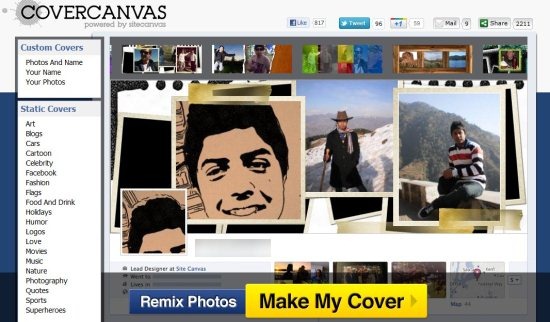
Static covers include covers which cannot be customized like covers related to movies, arts, flags, celebrity, etc. In custom covers, it includes several styles, for covers you simply need to click on any style available. It will show you the preview how actually it looks. If you are all right with the cover, then simply click on “Make My Cover” button. This Facebook app is all right, but the thing, which I didn’t like, and rather made me upset was that, this app chooses any random profile pictures of you to make a Facebook cover. You do not get a say in deciding which pictures go on the cover.
Don’t forget to check out Facebook app to sell items on Facebook.
Key Features of Covercanvas To Create Facebook Cover
- Create Facebook cover.
- Includes custom covers and static covers.
- Create custom covers with your name and photos, with just your name or with just your photos.
- Several stunning cover styles are available.
- Easy to use.
- Remix the photos with a single click.
Also, check out Picasa Facebook uploader.
Please note: You should enable the Timeline feature on your Facebook account before trying Covercanvas.
How To Use Covercanvas To create Facebook Cover
- Go on to the homepage of Covercanvas and click “Get started” button.
- Now login to Covercanvas with your Facebook account.
- Click “ Allow” button in request permission Window.
- Now you will come across the main screen of Covercanvas.
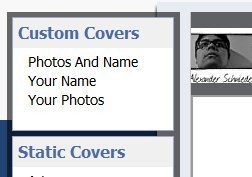
- Choose any of the 3 options under custom covers according to your preferences.
- Select any style for your cover page from the styles available at the top.
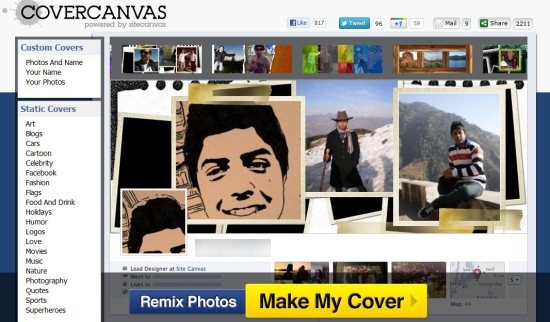
- Click on “Remix photos” button for remixing the photos.
- Now if, you are satisfied with your cover page then simply click on “Make My Cover” button.
- This will direct you to your Facebook account.
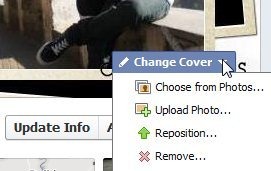
- Place your mouse on your old cover, you will see an option of “Change cover” with drop down menu.
- Click the drop down menu and Select “Choose from photos” option and select the cover that you created from your photos.
- Now you need to click on “Save Changes” button.

That’s it your Facebook is changed.
Covercanvas is a free Facebook application which allows you to create stunning Facebook covers like never before. Try this out.
