Kleki is a free online drawing tool which allows you to make paintings and sketches on your browser itself. This online drawing tool includes various brush forms like Simple, smooth, sketchy etc which helps you to create your own sketches or paintings. Moreover you can adjust the size, opacity, spacing, blending, etc of a brush. This online drawing tool includes other edit options which allows you to adjust the brightness/contrast of your sketch, resize your sketch.
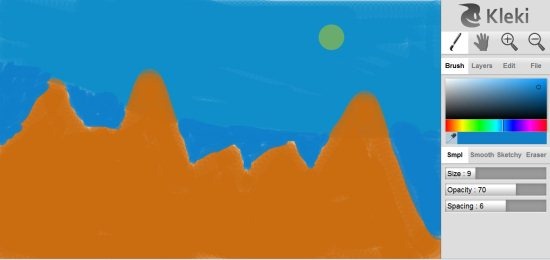
Moreover, it includes other options like Flip, Crop/extend, Hue/saturation, invert, perspective, tilt shift, transform, etc which helps to further customize your sketch like never before. With the help of this online drawing tool you can export the created paintings or store it locally. You may also upload your sketches and you may also import images from your PC to this online drawing tool which can be used as an image or as a layer.
Kleki includes a color scale from which you can select any color for making a sketch or a painting. Select the color with the help of color picker and use it in your sketch.
Don’t forget to check out sketchPad reviewed by us.
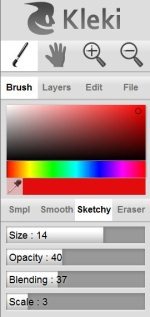
This free online drawing tool includes other options like Zoom in, Zoom out for zooming in or out your sketches. It also includes a hand option which allows you to move your sketches across the drawing area. Draw your imagination online and show your creativity. Like other drawing tools, this one also includes an eraser of which size and opacity is adjustable for erasing.
Some Key Features Of This Online Drawing Tool :
- Completely free online service.
- No installation or Download required.
- Select the brush type between simple, smooth or sketchy.
- Adjust brush size, opacity, etc.
- Upload your sketches to Imgur.
- Import images from PC to this online drawing tool.
- Edit options like Brightness/contrast, crop/extend, flip, resize, etc.
- Export your sketch to PC with a single click on “Export image” button.
Kleki is one of the most simple and straight forward online drawing tool which allows you to create paintings and sketches like a breeze. Try out this online service and see your creative side online.
