GreyNote is a simple, free web browser which comes with a very simple interface. The simple web browser comes in a silverfish layout where it doesn’t come with any other features besides just giving the option of browsing websites online. This easy-to-use internet browser is designed for those who do not like to use complicated browsers giving you more than required applications. You just need to type in the web address and start browsing your desired websites.
Installing Grey Note
The software is as simple to install as any of the simple software you might have downloaded from the internet before. You need to browse to the website of the company here and click on the download button. The moment you click on it a zip file containing all the files required to run the software gets downloaded. You need to extract the files and run the setup process by clicking on the setup icon. It takes seconds after that you are ready to launch the software and start browsing the internet on your browser. You can also try Xtravo Web Browser, RockMelt and Webian Shell reviewed by us.
User Interface of the Grey Note
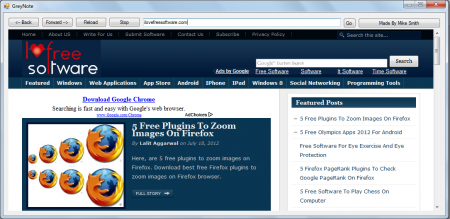
The moment the software gets launched you would see a browser with a silverfish background appear on the screen. By default the homepage is set to aol.com which is the 1st page which opens after the browser is launched. The options include the navigation features such as going forward or backward, reloading a page, stopping of loading a page and the area to type in a web address.
Using Grey Note free web browser
To start browsing a particular website you need to type in the URL of the website in the space provided. After you have the entire URL typed in the space you need to click on the GO button which is present next to the space. After you click on it the website would open and you are ready to read, browse, and play around with the websites you are browsing. The entire thing is pretty simple with nothing more to offer besides just providing the option to browse websites. Moreover, the browser doesn’t consume much space of your hard disk as it is much smaller and lighter for your system.
Download Grey Note free.
