Hoot.me is a free Facebook application, build especially for students to access study mode from Facebook. With Hoot.me, Students can search for their friends working on and join with them inside through Facebook. For example, the other day I found my younger brother using this app. He just posted the name of the topic on which he wanted to study, Hoot.me immediately helped him by showing all his friends who were also working on the same topic. Thereafter, he collaborated from within the Facebook by using video chat and also video conferencing and voice chat. With Smart voice and video chat, math equations which are typed, appears in a popup window, so that students can just click on the desired equation.
In addition, Students can join a topic publically else they can also make private groups to study and help each other. If you are working on your homework or assignment and you need some help, it’s easy to get it with Hoot.me. All you need to do is:
- Sign-in to Facebook
- Install the app on Facebook
- Put a Hoot status like algebra, marketing, integration or whatever topic you want and check out which all friends are up to your desired topic.
Else, here is how to use Hoot.me in detail:
- Go on to the Hoot.me website and click on Get Started. You can take a look at the homepage of Hoot.me:

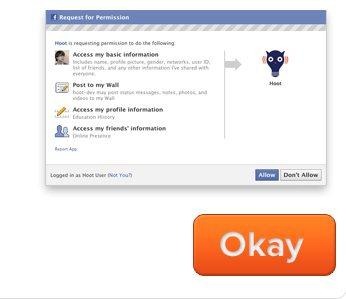
- Thereafter, you are required to click on “Okay” . The related page is shown below:
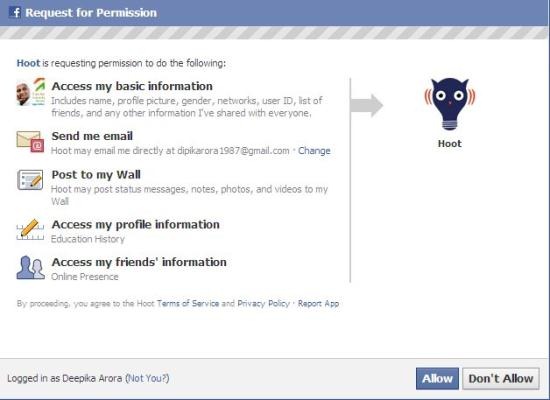
- After this, you need to click on “Allow” in order to get started with Hoot.me as shown below:
- Now you are taken to start up with your video chatting. Here is a look to one of the video conferencing:

Some other interesting Facebook apps you can look through are fTalk a desktop messenger for Facebook, or Postcron for scheduling Facebook status updates for future, or even Upload Rabbit to share photos and videos on Facebook.
To be precise about Hoot.me, when you are stuck with Math, Science or any other subject related problem and you need to prepare for the next day test, use your Facebook friends to get help. Talk face-to-face with Facebook friends and solve the problem instantly. However, upto 8 people in a single group of conferencing can be added. Nevertheless, I think, 8 people are more than enough to work on a project.
So what are you waiting for guyz …turn over to the new generation studying style.
