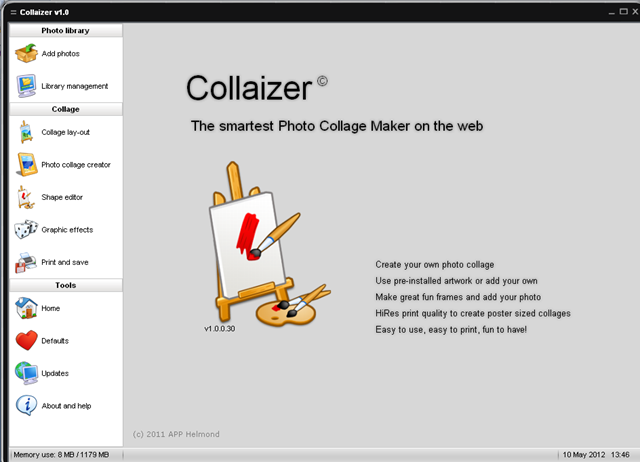
Collaizer is a smart, free photo collage creator software which lets you make beautiful photo collages out of your favorite pictures. This wonderful application comes with an intuitive interface wherein creating collages from several pictures of yours is really easy. Adding to that it comes with predefined shapes and templates which you could use to make your collages look beautiful. You may add your own artwork, select frames and backgrounds of your choice. The graphic touches such as the ‘sepia’ or the ’hamilton’ adds that extra personal touch to the collages you make out of your favorite pictures.
Installing free photo collage creator
The installation process has been kept simple where you just need to follow the steps below and you are ready to play with your photos:
- Visit the developers site and download the setup file.
- Extract the zipped file which gets downloaded and run the setup process.
- A step by step process runs where you need to select the location you wish to save the software and other general options too.
If you find Collaizer difficult to use, you can try Collage It, Photo Collage Max and Loupe.
Using the photo collage creator
Upon installation one needs to open the software which will open a cool looking window of the application. Here you get all the options the software has on offer. The process of creating a collage for your photos is pretty simple; below you have the steps which you may follow to create your own collage with the software:
-
Click on Add Photo at the top on the left side of the main window. Locate your images and select ‘’add this file to library’’ for all the images which you wish to use for your collage.
-
Then Click on Library management where you will see all the images that you had selected together in thumbnail view.
-
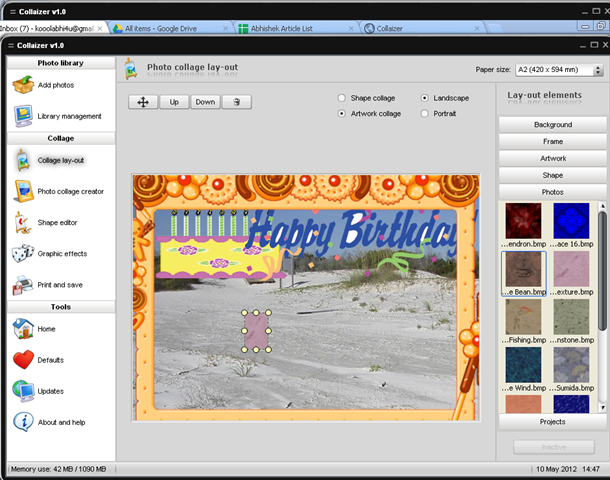
Move on to the option of Collage layout and you would see hosts of options such as fixing the size of your collage, adding a background image, and more. It also gives you the option of adding frames, artwork, shapes, etc. One needs to drag the images and place them at the places where they want. You may resize your image as per your fancy.
-
In the Photo Collage editor, you also get Shape Editor, and Graphic effects.
-
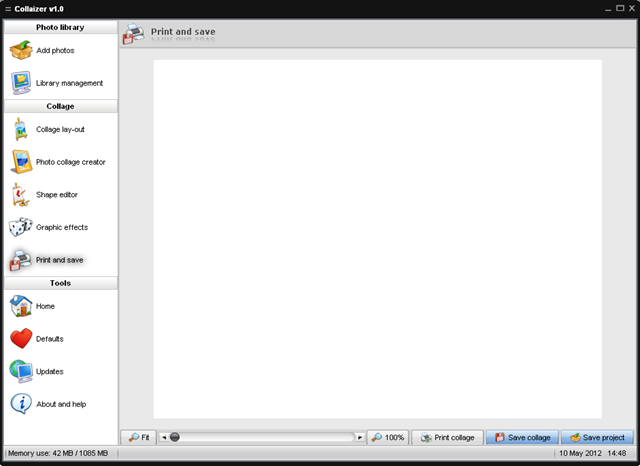
The next step is to move to the tab of Print and save where you have the option to print, save the collage or save the project.
Collaizer: A Great photo Collage Tool
By going through all the above steps it sure looks simple creating a collage for those pictures which you may have. Moreover it gives you an added touch of elegance and creativity which makes the pictures look great. It is extremely fast and has the ability of placing 100s of pictures in right places in a matter of seconds.
The appealing interface of Collaizer makes the task even simpler and fun to use for even for the beginners or the people with less computer knowledge.
