KWare PhotoPrint is a free photo printing software basically designed to print the images in the format you want it to be. There will not be any loss in the quality of the image and it will be printed in the original resolution. This free office tool supports all types of formats i.e. jpeg, metafile, bitmap, etc. You can print the photo in the type and size you want it to be as it will not force you to open the image in a pre-designed layout. You need to have a photographic paper and you will get the type of print you wanted using this free photo printing software.
Installing Kware PhotoPrint
You need to follow some simple steps to install this software in your machine. First you need to go to this site . Then click on the option named PhotoPrint_install. You can find this option in the download section of the page. After clicking on the install option an .exe file will be downloaded. Click on the .exe file and the installation starts. After this you just need to follow the usual installation process by clicking the next button and the software will be installed in your machine. If you are interested to try some more photo printing software, you can try Easy Poster Printer, Photoscape and IDPhotoStudio reviewed by us.
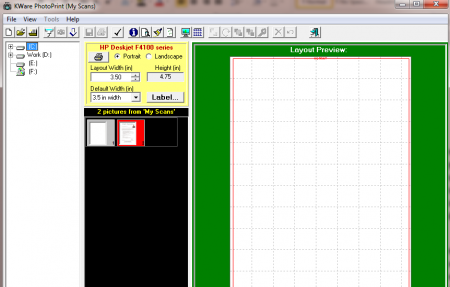
Interface of this photo printing software
The interface of KWare PhotoPrint is very simple and not a very stylish one. You can find the names of the drives on the left pane from which you want to load the image. Then there is a print option and layout option. All the options of loading the image and editing are there near the header. You can browse the images easily and the software will prepare the thumbnail layouts for you.
Using this photo printing software
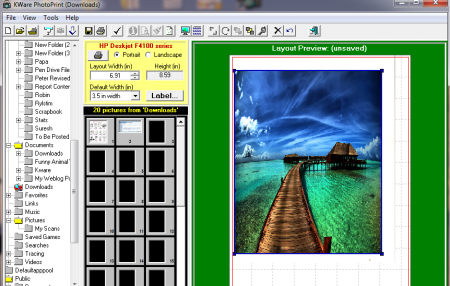
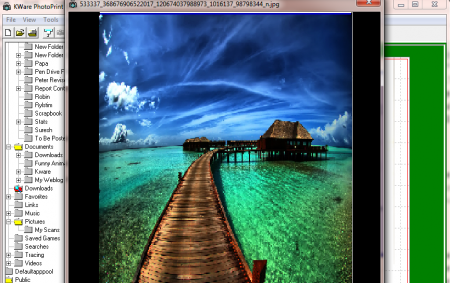
You need to select the image that you want to edit and print. You can select the image from the drives and the folders shown in the left pane. After you find the image you need to drag it to the layout panel. In the layout panel you can crop and resize the photo according to your requirements. You can also view the image in large size by doubling clicking on it. You have the option to print the images individually or in a group. After you finish editing PhotoPrint will automatically prepare for you a thumbnail layout in a separate folder.
On the top you have the file option through which you can save current page layout or open a new page layout. In the tools menu where you have the option named effects that help you add different enhancing effects to the image. The row below the top header has many menus that are required while making adjustments in the image. Some of the options are:
- Rotate
- View Preferences
- Crop selected image
- Photo Effects
Besides these options you can also find some tabs like save page layout, new page layout, and delete selected image in the same row. To make printing adjustments you can go to the panel that has printing options. There you can find options for preferred layout i.e. landscape or portrait. Then you need to select the width and height for printing the image. KWare PhotoPrint helps you get the print in the best resolution without any loss on the quality of the image.
