WebMon is a free webpage update monitoring program which can help you monitor a website and check for changes to it every time it gets updated. You just need to insert the address and the web page update monitoring program would monitor it automatically for any updates to a particular webpage. It is a very handy tool especially when you are a regular follower of a website where you need to track each and every update that happens to it. For example in case you follow a particular website for information and news on a particular gadget then you may add it to the software and you would be updated as and when there are changes to the contents on that particular website.
Installing this free webpage update monitoring
The installation procedure of WebMon is kept simple where you can visit the official download site and click on the download button. The download process starts within seconds and gets downloaded on your system in quick time. Moreover after you are done downloading the program the next step is to run the setup process. The step by step procedure guides you to install it on your system and gets installed in very quick time. After you are done installing the program you sure would be raring to use the program so the next step would be to launch the program from the shortcut on your desktop or from the start menu. If you are looking for some more useful internet tools, you can try The Web Blocker, Voice Browser and NoMachine reviewed by us.
Using webpage update monitoring
As soon as you launch the program you would be presented with a popup (screenshot Below). It mentions the process to start using the program besides mentioning the help button for accessing any guidance which you may require to run the program.
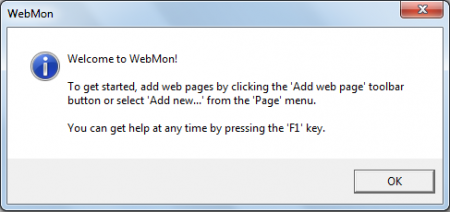
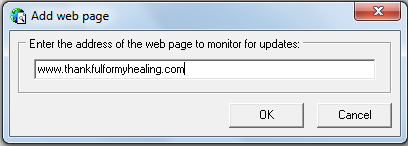
Once you click on OK you would see a white screen with a few options at the top. To start tracking a particular website you can click on the Add symbol at the top of the window below the menu bar. Once you do so you would be asked to enter the address of the page you wish to track.
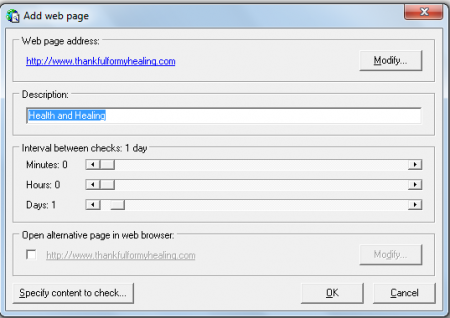
Once you do so its crawlers start checking the link and then proceed to gather the info of the link inserted. This would bring in a new window asking you about a few settings such as the description of the website and the interval between every check which you would like the software to do. It could be minutes, hours or even days.
If you wish to access the particular page you can directly double click on the name appearing on the program window. It will open the website in your favourite browser instantly. You may add as many websites which you may like to and track for updates on them.
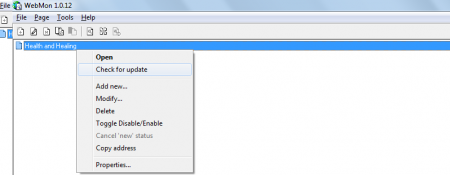
Moreover if you wish to check for updates of a particular site on the list you could do it any time beside the automatically set time for the program. To do so just right click on the webpage from the list and click on Check for updates. The other features of this software include importing and exporting of already updated bookmarks from your browsers, setting up automatic checking at set intervals, option of setting popup sounds and alerts when there is a change tracked, you could run other programs simultaneously while this program is working in the background, gives you the choice to choose a particular section of a website too.
Now that you know all about WebMon, you can try this software to know when your favorite web pages change.
