Phrozen PasswordWallet is a handy, free password manager designed to keep all your login credentials safe and secured. With increased usage of internet and more and more people having their online profiles and using the internet to perform transactions, the need for keeping all the login credentials secure has increased drastically. Phrozen PasswordWallet is a powerful tool which is difficult to crack, thus ensuring that all you save within this program remains secured and helps you to secure all your passwords.
Installing this free Password Manager
The download process and the installation of this free password manager are pretty simple whereby you just need to visit the developer’s website here and click on the download link. Once you do so the installer gets downloaded on your system and you would be required to run the setup process. A step by step process is what follows after you launch the downloaded exe file and thus installs the program on your system to help you secure all your passwords. If you are interested to try some more password tool, you can check out iPassMan, MobileWitch Pass Safe and MyPadLock.
User Interface of Phrozen PasswordWallet
When launched a small window appears on the screen with a few options on it. It looks as if the login window for a particular program window asking you to insert a username and password with the settings option below.
Using this free Password Manager
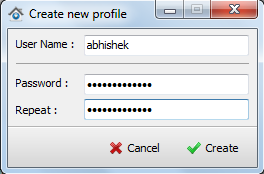
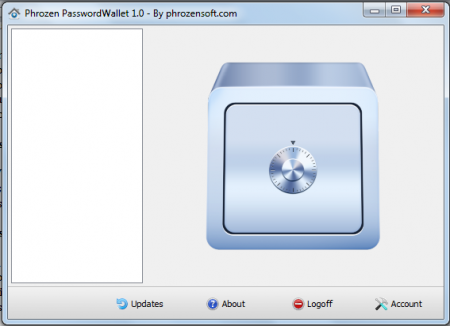
In order to start using the high end features which this free password manager comes installed with, you need to create a new account by clicking on create new account option on the main window. A new window pops up where you would be asked to insert your preferred user name and password. Just after you have your account created you would see a bigger window appear on the screen with an image of a safe in the background. The main window has 4 options at the bottom namely:
- Updates
- About
- Logoff
- Account
Updates provide you with a link to the update page of the program, about section provides the basic information of the software i.e. version, developer details etc., logoff represents logging off from the current session, using the account option you could change the password or go back to the login screen.
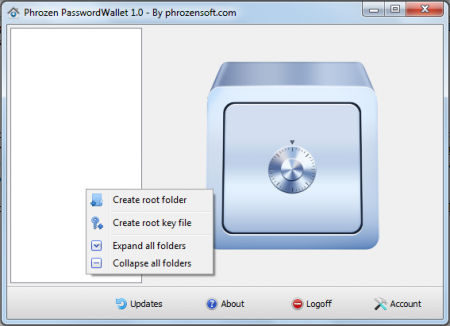
To start securing you passwords and other details you would be required to right click in the blank area on the left of the main window. The options available are:
- Create Root Folder
- Create Root Key
- Expand all folders
- Collapse all folders
Click on the create root folder option and create a new folder depending on the thing you wish to save the details under.
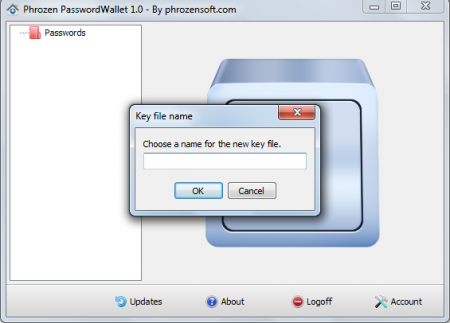
Now you need to right click on the folder and select create root key. This would ask you to name the particular segment you created for the passwords, usernames, urls, etc. you wish to save under this key name. For example you wish to save credentials for your email accounts then you could name this key as email and proceed.
Now you need to scroll to the right of the screen and right click in any of the blank area. Select the option of add new entry which pops up a new window to insert the relevant details. Thus click on the add option at the bottom of your screen and your credentials would be saved and displayed in the blank window. Now, after you have saved all your details, you could log out and keep them safe. To access them all over again, you would need to launch the program and login again. Download Phrozen PasswordWallet free.
