The Weather Channel App for Windows is a free Weather desktop software to see weather information on Windows desktop. It’s a reliable and very simple weather software which updates you about the current weather conditions of any location across the world. Of course, you need to be connected to internet to see current weather.
Apart from displaying temperature, this weather desktop shows you the humidity level, dew points, visibility, wind speed, sunrise, and sunset time.
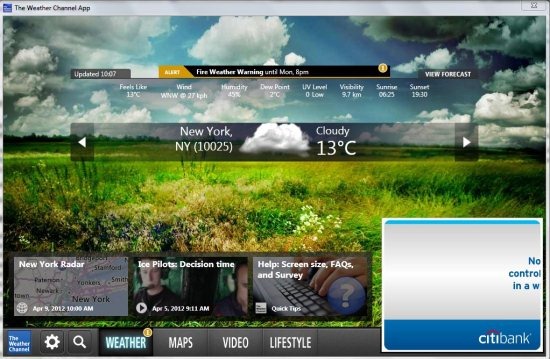
This simple weather software displays weather information right on your desktop. You don’t need to check websites, or switch on your TV just to find weather info.
User interface of this Weather software is pretty cool and the good part is that the screensaver within the software is displayed in the background, and changes automatically with the change in weather.
This free weather software presently works with Windows XP, Vista and Windows 7 and requires a minimum screen resolution of 1024*768.
Also, check out free software to create panoramic photos.
Some Key Features Of This Weather Desktop Software:
- Cool and simple user-interface.
- Choose temperature measurement between Celsius and Fahrenheit.
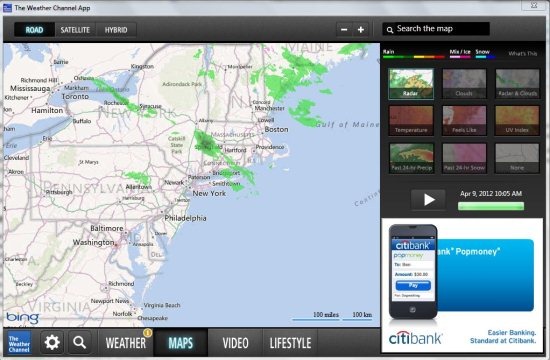
- Large Maps and interactive radar.
- Wallpaper auto-changes with change in the weather.
- Instantly access weather alerts from your desktop.
- Add your favorite locations and view their weather info like a breeze.
- View weather info of up to 10 saved locations at a time.
You would also like to check out free software to add subtitles to videos.
How To Download And Install This Weather Desktop Software:
- Visit the homepageof this free weather software.
- Click the “Download” button available on the homepage.
- An installer version of this software will be downloaded on your system.
- Run the application file and go along with simple step by step installation procedure.
The Weather Channel App displays weather information of your favorite locations from across the world effortlessly using an internet connection. Download this weather software for free.
