TimeLine Movie Maker is a movie maker application for Facebook which allows you to make your own Facebook timeline movie. This movie maker application for Facebook is easy to use. As you need to simply login to this Facebook application with your Facebook account and leave the rest to it. Within a couple of minutes it makes a complete movie of your Facebook timeline. This Facebook application creates movie from your cover page, profile picture and other images on your Facebook Timeline.
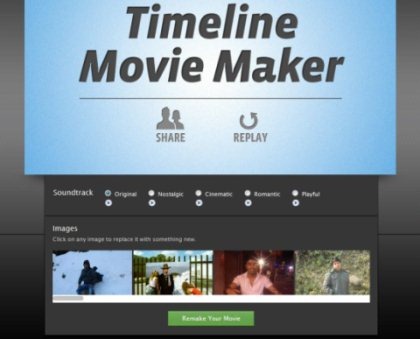
Timeline movie maker randomly takes images from your Facebook account and creates stunning movie out of it. Timeline movie maker also embeds a soundtrack in your movie which plays in the background. This movie maker application also gives you a choice of soundtracks. So you can choose any soundtrack among available 5 soundtracks for your movie.
Timeline Movie Maker also allows you to remove any image from the movie by clicking on the image which you want to remove. You can easily share the movie created on Facebook in few clicks. You can also replay your movie any number of times before posting it to your Facebook account.
Don’t forget to check out Picasa Facebook uploader.
Some Key Features Of TimeLine Movie Maker:
- Easy to use Facebook Application.
- Creates your own Facebook timeline movie.
- Choose soundtrack for your movie.
- Remake your Facebook Timeline movie.
- Replace any image from your movie with a single click.
- Replay your movie.
- Share your movie with your Facebook friends.
You would also like to check out a tutorial on How to enable Facebook Timeline.
How To Use Timeline Movie Maker:
- Open the homepage of Timeline Movie Maker.
- Login to this Facebook application with your Facebook account.
- Choose from the drop down menu that whether the changes made should be viewed by public, friends or just you.
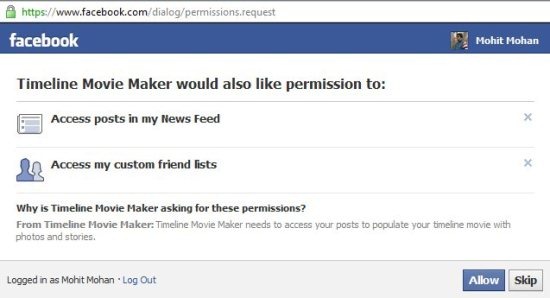
- Click “Allow” button for allowing this Facebook application to access your account.
- Wait for few seconds.
- Movie created will be automatically shown to you.
- Sit back and watch your own movie.
Timeline Movie Maker is one of a kind movie maker Facebook application which allows you to create your own Facebook Timeline movie like never before. Try this out for free. Click here to try Timeline movie maker.
