ClamWin is a free, open source antivirus software designed for viruses, Trojans, malware and other malicious threats. It has a high performance on demand file scanning process. This software includes scheduler, scanner, Add-on to MS Outlook, virus database, etc. The only drawback is that it does not come with an access scanning or a URL scanning option. It has an intelligent scanning tool and is fast and secure. The software has a high detection rate for viruses and regularly keeps updated on the virus database.
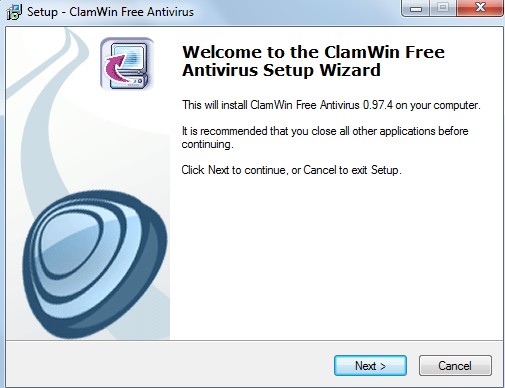
Installing this free antivirus software
The installation process is quick and easy. You just need to go here and click on the download option present on the left panel of the page. The file is around 40 MB in size and takes less than 5 minutes to download. After the software is downloaded in your machine you can see an .exe file. You need to click on the file and the installation process starts. While installing the software you will be guided through the process like any other installation and click on the next button. You can also try A-Squared Free, Security 360 and Malwarebytes Anti-Malware reviewed by us.
Interface of ClamWin
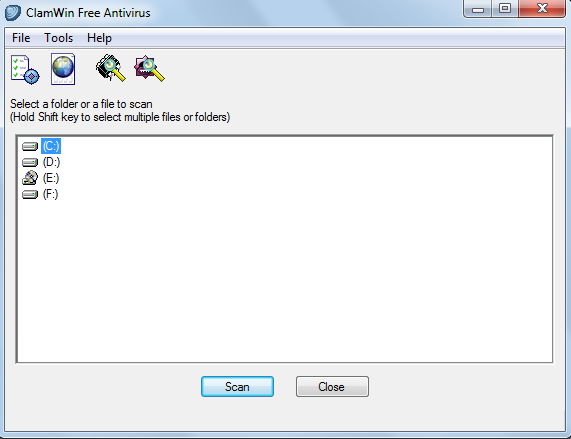
ClamWin has a nice graphical interface for the users. It comes with a simple design and is not very stylish. You can see all the options on the screen and use it just like any other antivirus software. It is available free of charge and anyone familiar with simple tasks in the computer can use it as soon as the installation is complete.
Using ClamWin
At the top of the screen you can see three options namely:
- Files
- Tools
- Help
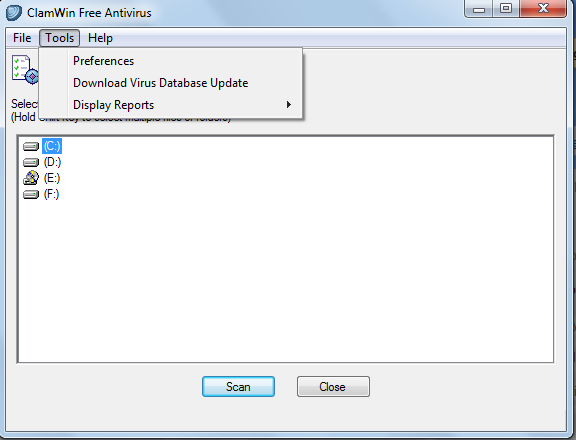
The files options lets you scan files or scan memory. With the use of tools option you can adjust preferences and Download Virus Database update. The preferences scan and update tab is also present above the screen.
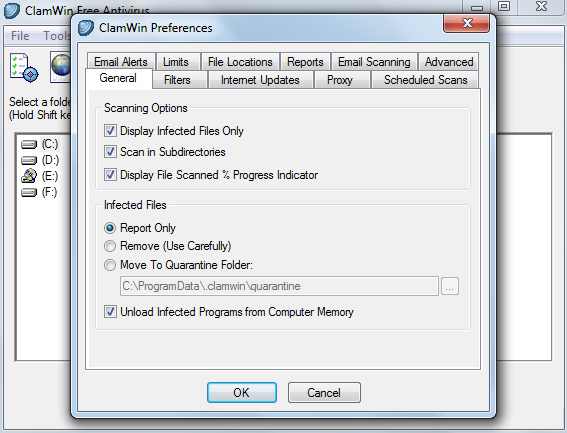
By using the preferences tab you can adjust General scan options like scanning sub directories, displaying infected files only, report only and where you want the quarantine to be moved. You can add scheduled scans with the help of this option, change file locations, limit the size of the files you want to be scanned, add filters and adjust internet updates.
You can press the shift key and select the files you want to be scanned. To start the scan process you can click on the scan button at the bottom of the software.
