Photo Vacuum Packer is powerful, free photo optimizer which creates optimized copies of all your photographs. By using this tool you would ensure that the optimized photos on your disk would use almost 50% less space compared to the space they consumed before. However, the software does not have any impact on the dimensions or the quality of your photos. You can also think of this software as a free photo compressor. The method behind optimizing your photos which this tool adheres by is optimization of images and has them written in a separate folder. The fact that the tool is available for free and contains no adware, spyware or any disturbing toolbars makes this software a good product for its users.
Installing this free Photo Optimizer
The installation of this free photo optimizer is pretty simple where you need to open the developer’s website from here and search the software name and the version to download the right file on your system. Once you download the .exe file on your system you are ready to install and run it on your system. The installation process is also very simple where you are guided by a step by step process making it easy for you to install. If you are not satisfied with this free photo optimizer, you can check out ImageOptimizer ImOp, RIOT and PhotoPerfect Express.
Using Photo Vacuum Packer
Compiling in short we could say the software performs the following activities:
- Finding duplicates from your selected disk
- Repacking i.e. deleting the duplicate photos which usually are created out of the photos taken from your digital camera.
- Resizing your photos which are pretty good for those photos taken out of your new camera. These photos are usually large in size and take a lot of unnecessary disk space on your system.
- Changing of formats where this tool could be used to convert your BMP images into JPEG format. This feature is usually important if you have numerous BMP files saved on your computer where a converted JPEG image would take much less space in comparison.
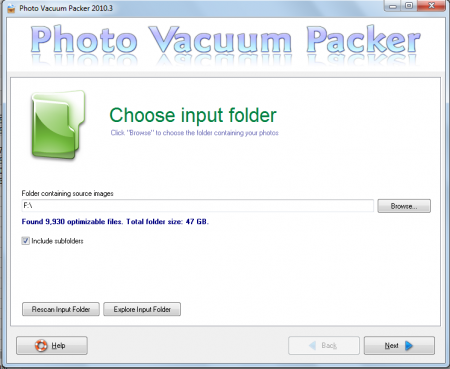
When you launch this free photo compressor, you would see an attractive window with a blank bar representing the option to select a particular drive from your system. You can click on the browse button next to it and browse through the small explorer to select your preferred drive. The next step would be to click on the Next option at the bottom of the window which would start the operation of scanning for duplicates in the folder selected. The process upon completion lists down both the original as well as the duplicate files below each of them. The duplicates would be ticked and you would be required to click on the next button to proceed.
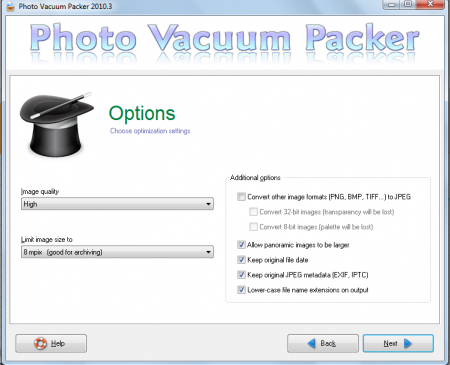
The next window gives the options for converting your images, resizing them, reducing their quality, and limiting their sizes. When you click on the options you wish to be performed you can click on the next button which brings you to a new window giving you a fresh set of options. Here you would be asked to select the output folder for your processed files. Click on browse and select the location where you wish to have your processed files stored.
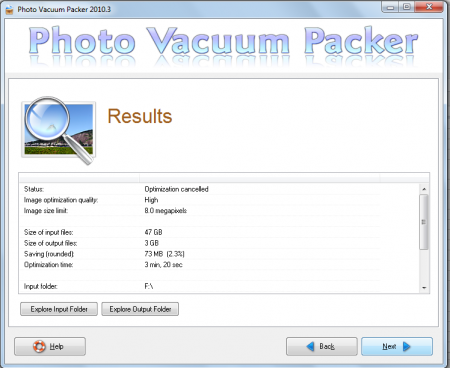
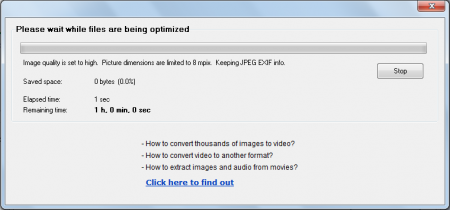
The next step would be to click on start which initiates the scan process and depending on the size of your drive it might take a couple of minutes to an hour or so. The above processes once performed and completed optimizes your computer in such a way that the files become light on your computer and give you the option to store more files. Further it will also reduce the usage of unwanted spaces on your system which might seem to have been impacting on the speed of your computer. Download Photo Vacuum Packer free.
