App2Date is a free software updating utility that can be used to check for updates, available for your installed software. The project team behind App2Date has included some interesting features in the software to help you download software updates automatically and check different sites for useful updates.
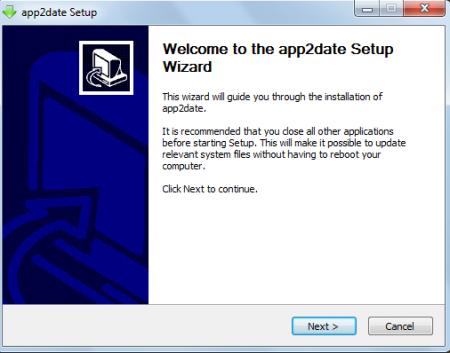
Installation of App2Date
To install this free software updater, you need to visit and click on the download button. Once you click on the download button an .exe file will be downloaded, after which you need to click on the file and the installation will start. It follows a usual installation process and you need to click on next button to continue the installation. Once the installation is finished just click on the Finish button and the free software updating utility will be ready to launch and you will be able to download software updates immediately. You can also try Glarysoft Software Update, Ketarin and SUMo reviewed by us.
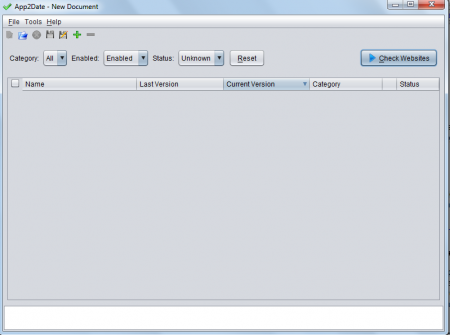
Interface of App2Date
This free software updater has a very simple interface with all the tabs and options on the screen of the software. Most of the menus are available at the top and all the functions taking place can be viewed in the screen below. In the screen you can see the Name, Current Version, previous version, category and status menus. It does not have a very stylish interface but is very user friendly so that everyone can use it with ease.
Using App2Date
As soon as the software is installed on your system you can launch it through its shortcut. A file button appears at the top of the software window. You can open any file located in your computer by clicking on open option in the file menu. Once you open the file or the application you can check for its updates. After you are finished with the update process you can save it at the desired folder by clicking on the save option from the files menu. The overall usage of this software is kept to be very simple so that even those who are not experts of using advanced software could use it to meet their purpose.
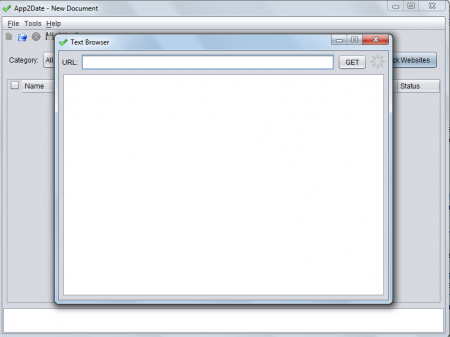
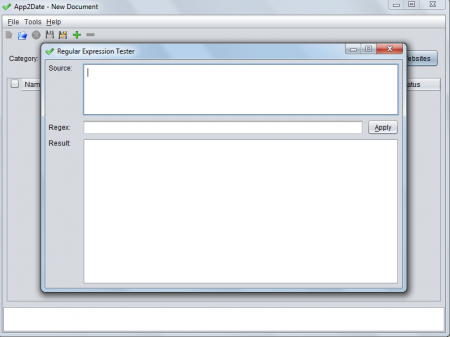
Once you go in the tools menu you can see two options namely test browser and regular expression tester. The moment you click on test browser you will get a screen where you need to enter the URL of any site and click on the get button. This would display text from that site besides consisting of the tabs, menus and options present in the site. There is also the regular expression tester option. It is present in the tools menu and once you open it you need to enter the source and Regex. Upon inserting the inputs the results will instantly be displayed in the screen below.
At the right side of the main window you would observe a tab named check websites. Using this option helps you to check websites for updates. You can download the updates through the HTTP to FTP folder and you don’t require any special server for this. App2Date can be regarded as a very useful software for searching and downloading updates.
