virtualStudio is a free photo editor that lets you easily retouch, enhance, and watermark photos. It’s an easy to use application that simplifies most of the photo editing task by providing presets that you can apply directly to your photos. Like for example, you can expose or enhance photos with single mouse click, make color adjustments using the provided options, or apply plenty of available filters to beautify your photos.
Apart from that, you can also add frames to your photos or even copyright them by applying watermarks. Plus, this free photo editor comes with integrated plug-in support, to add more functionality to its photo editing capabilities.
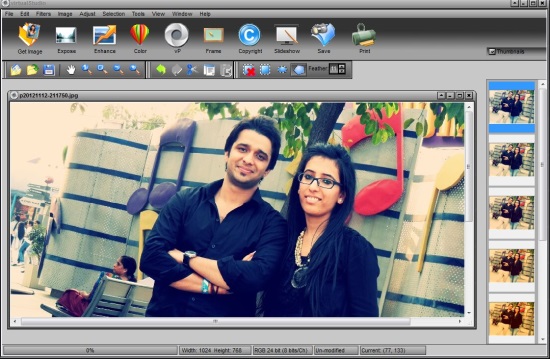
virtualStudio has all the features of a good free photo editing software. You can use the link given at the end of this article to go to the download page of virtualStudio and download it from there. Installation is pretty easy and clean. It won’t install any adware to your PC, which is a nice thing about the software. Let’s see how this free photo editor works.
Also check out Treme Photo Designer and Photo Pos ProX.
Enhance, Retouch Photos with virtualStudio:
Unlike most of the professional-grade photo editors, virtualStudio is simple and easy to use. It lists all main presets on a ribbon UI at the top, and common tools on a toolbar below this ribbon. Rest of the screen covers the area to preview Photos.
You can simply browse and add files you want to edit to the program window and retouch your photos the way you wish to by using virtualStudio’s wide range of tools. virtualStudio makes it really easy to beautify photos with its various effects and presets.
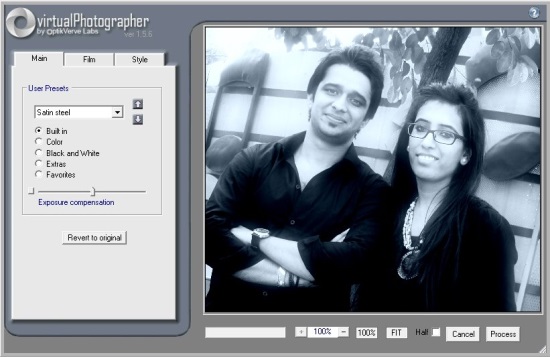
Apart from the regular photo editing features, virtualStudio includes a virtualPhotographer plug-in that provide tons of amazing filters to be applied to your photos.
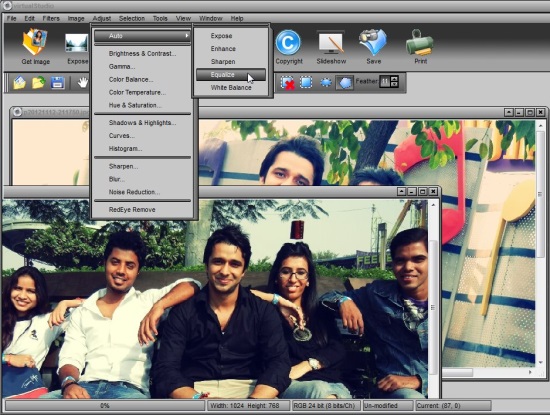
Plus, it provide options to further improve the photo quality by manually adjusting brightness/contrast, hue/saturation, white balance, gamma values, shadows, highlights, and more. This makes your pictures look even more better.
Some Key Features of this Free Photo Editor:
- Free photo editor for Windows.
- Supports all major image file formats including JPG, PNG, BMP, GIF, TIFF, and RAW.
- One-click photo effects.
- Auto enhance, expose, equalize, sharpen, white-balance adjustments.
- Gamma correction.
- Brightness/contrast, hue/saturation adjustments.
- Shadow and highlights adjustment.
- Resize image, canvas.
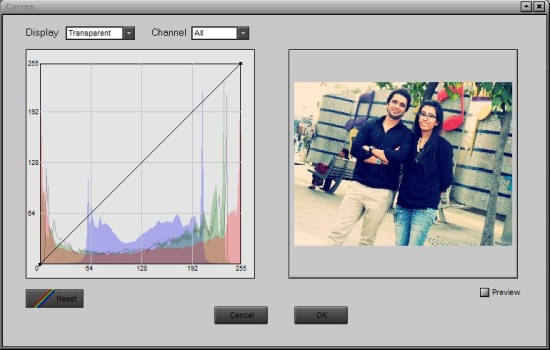
- Curves and histograms.

- Image frames.
- Multiple selection tools.
- Zoom, Flip/rotate.
- Red-eye removal.
- Edit EXIF/IPTC information.
- Watermarking and adding titles.
- Plenty of filters.
- Plug-in support.
- Multi-window support.
- Slideshow support.
- Skinnable interface.
- Easy to use.
The Final Verdict:
virtualStudio is a handy photo editor for Windows that helps in quick photo editing. However, it lacks some important features like adding annotations, and the slideshow feature didn’t work in my case. But rest everything works fine. Download free and give it a try.
