KumoSync is a free software that enables you to Sync local files with Google Docs. Syncing Google docs with local files helps you to back up local documents in Google cloud storage, which prevents data loss in case of system failure.
KumoSync makes files available on Google Docs when there is no Internet connection or when the hardware gets down. You can also edit files right on your desktop without any Internet connection and changes will be automatically taken to Google docs once you connect to the Internet.
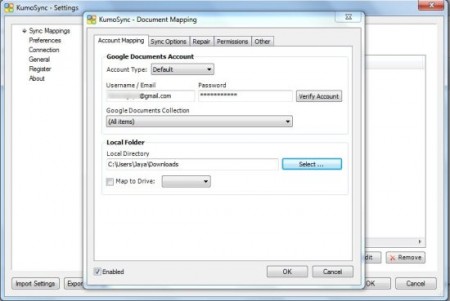
The best part about this software is that you do not have to look after time and again to run the backup manually, KumoSync automatically track changes in Google Docs and sync the changes every time you make any change in Google Docs.
Also check out FTP Synchronize reviewed by us.
Here is a screenshot of Kumosync syncing local files with Google Docs.
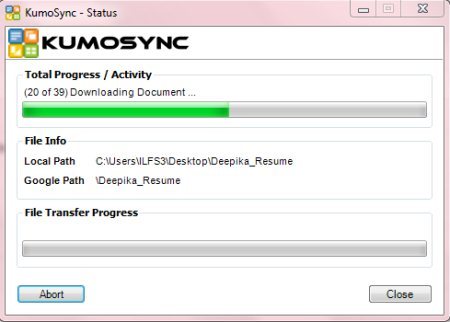
Some Key Features Of KumoSync, to sync local files :
- Control syncing with sub-folders
- Sync local files with Google docs
- Automatically synchronizes changes in the background
- Access Google Docs content without Internet connection
- Delete items automatically whenever deleted from Google docs.
Basic Requirements to download KumoSync:
- Google Account
- Microsoft .Net Framework 3.5
- Microsoft Windows XP / Vista / Windows 7
How To Download KumoSync:
- Go onto the website
- Click on “Download now”
- Click on “Download KumoSync v1.1”
- In case you do not have Microsoft .Net Framework v3.5 or higher installed in your system, get it
- Click on the downloaded link
- Click on “Run”
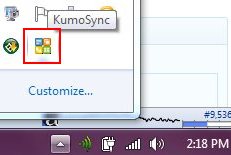
Yup..You will soon find KumoSync downloaded in your system. A small icon will be added to your system tray to quickly access KumoSync. A screenshot of the system tray icon is given below.
Now while you are here, feel free to browse around with Software to Sync between Windows & Linux Computers reviewed by us.
In short, KumoSync is an excellent software to Sync local files /folders with Google Documents, thereby saving your local data from being lost. Go ahead and Sync local files with Google Docs..!
