Instagram Downloader is an easy to use and totally free software that helps you to Download Instagram photo URLs. The user-interface of this Instagram downloader is user-friendly and very clean, so even the beginners can easily use this free tool effortlessly. The Interface of this Instagram downloader basically comes with a box to enter the Instagram username, a download button and with free space that on the interface to show the downloaded Instagram URLs.
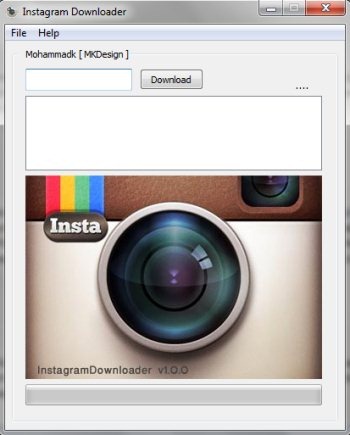
Instagram downloader is a light weight software which comes in a small in size file of only 676 KB. This free tool only requires the Instagram username in order to perform it’s job. As soon as you provide the Instagram username and click the download button, it starts the downloading process and creates a text file of photo URLs instantly. As it only downloads the photo URL, so you need to take the help of a download manager for downloading photos using the Photo URLs. Run a download manager and provide these photo URLs to it for downloading photos. Try Instagram downloader for free. You may also try other free tools like Instarchive and free Instagram downloader for downloading Instagram photos.
Key Features Of This Tool To Download Instagram Photos:
- Simple and clean user-interface.
- Downloads all of your Instagram photo URLs.
- Automatically creates a text file of the URLs.
- Small in size tool with a file size of only 676 KB.
- Portable Instagram downloader software.
How To Download Instagram Photo URLs?
- Launch the Instagram Downloader.
- Enter the Instagram username within the Username box.
- Then, click the download button opposite to it.
- This downloads all your Instagram photo URLs and creates a text file for these URLs.
- Now close the Instagram Downloader and click Yes in the Pop-up window which asks you whether to save the text file to the RAR file.
- That’s all, you need to do and it shows you all the Instagram URLs within the text file created.
Instagram Downloader offers a very simple and user-friendly way to download all your Instagram photo URLs. Download Instagram downloader for free.
