SymMover is a free file manager which lets you move folders from one disk to another. The advantage of using this tool over the manual procedure can be attributed to the fact that Windows still considers the folder to be present in the original destination. This is easily achieved by SymMover as it firstly moves the folder to the new destination and then establishes a link between the source and destination. So, even if you moved your important folders to a new destination, you can still access them from the source or the original destination. SymMover gives you the freedom to move the folders to new destinations or even put them back in their source drives. So even if a particular disk runs out of space, you need not worry as our free file management tool solves your problem efficiently!
Interface of this free file manager
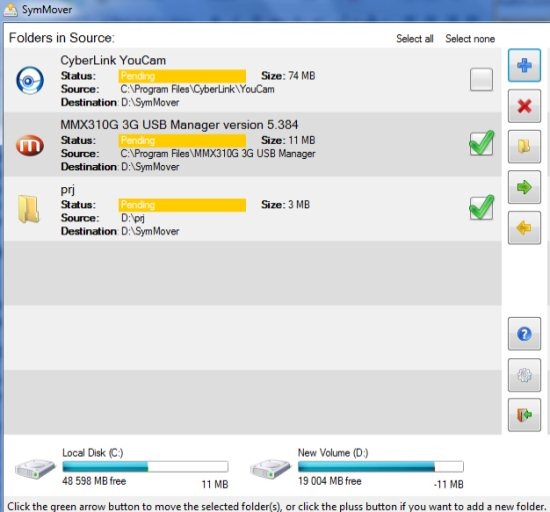
SymMover comes with an intuitive interface which is simple to understand and use. The functions are not at all complex and beginners as well as skilled users can work alike and benefit from the file manager. The interface is minimalist with simple icons to perform the tasks in a jiffy.
Installation of this free file manager
The installation is simple and straightforward. It completes in a jiffy and the tool doesn’t come bundled with any ad-ware. There are no additional tools or plug-ins required thus making the complete process simple for any kind of user. The file management tool is completely clean and is free from any kind of malware, spyware or viruses.
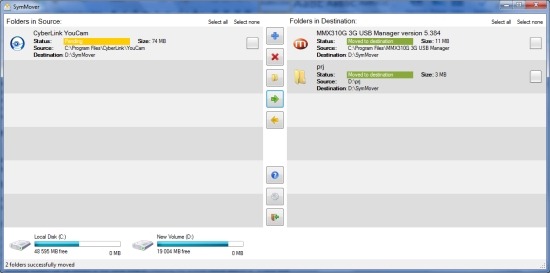
Key Features of SymMover File Manager
- SymMover lets you move the desired folders and installed programs to solid state drives or others.
- You can view the complete details of the particular folder or installed program including status (moved or pending), size, source and destination.
- The intended folder or program can also be moved to the original destination.
- Large chunks of data can be easily moved back and forth between hard drives at blazing speeds.
- Multiple folders can be moved at the same time by checking the entries hence speeding up your task.
Ease of Use
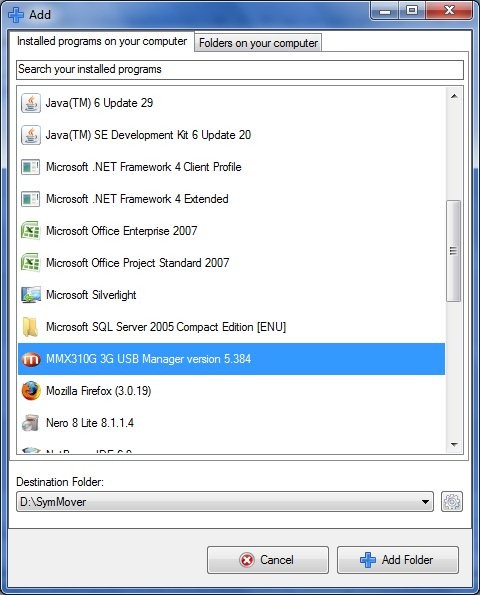
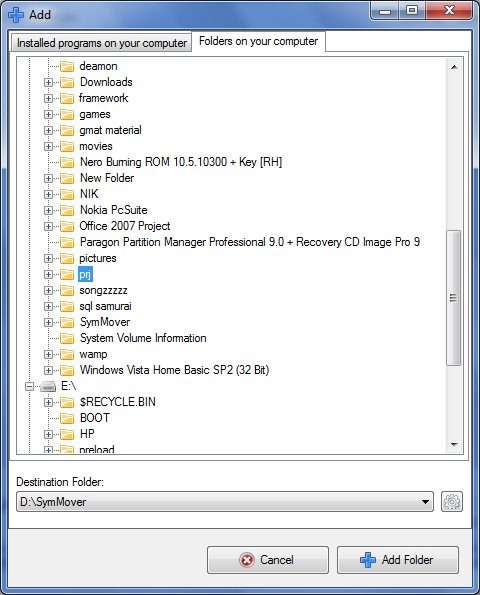
The functions are a breeze to use and all you need to do is select the particular folders for moving. Rest of the process is smooth and simple. The only issue that has to be taken care of is while moving folders or programs, they shouldn’t be open or running else they wouldn’t be moved. In case, SymMover fails to move particular folders or installed programs to the intended destination, then it displays Log Files explaining failure. Another issue that has to be taken into consideration is that SymMover is apt for NTFS file systems but cannot work for FAT-formatted USB drive.
Conclusion
In all, the file manager helps in managing your disk space efficiently. The tool eliminates the number of links created within the operating system while manually moving the folders from one drive to another hence transforming the task from a tedious to a hassle-free one!
Download SymMover free.
