RegShot is a free registry comparison software that lets you compare registry files and their changes over a short span of time.
Many changes occur constantly in your Windows registry files. Sometimes, you might want to keep a track of it and know why and how those files are changed and also their log files. This free registry comparison software helps you in this aspect and gives a clear idea on all the changes that are occurring to registry.
Features of Regshot Registry Comparison Software:
- Firstly, many of the software that are available in the market for comparing changes in registry files come at a price and are not free. However, RegShot is a completely free registry comparison software.
- Regshot works in the background and does not affect the performance of your machine.
- Regshot is also very light on disk space and in fact you do not need to install anything in your computer.
- RegShot gives a clear detail of all the registry files that were created or deleted during that short span of time when the checking was done.
- You can opt for saving the log file in your computer as well.
- You have the option for viewing the log file either in Plain Text format or in HTML format as well.

How to Compare Regsitry with Regshot Registry Comparison Software
- Download Regshot.
- The file will be downloaded in a WinRAR file format. You can use a software like 7-zip to unzip it.
- After opening you have to select in which way you want to view the log file, i.e. in plain text or HTML.
- Then you have to click on 1st shot which will start scanning your registry files.
- After the scan is complete take a few seconds time and then go for 2nd shot. This will scan again all the present registry files.
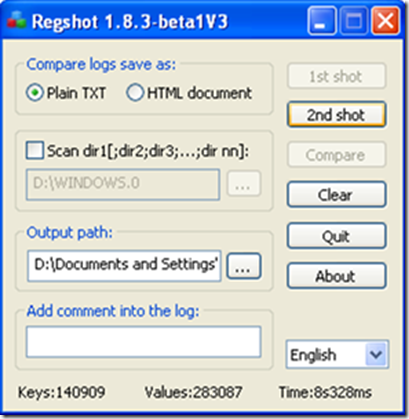
- You can also save the log files of these scans in your system.
- Once you are done with it, you need to compare and for this you must click on the compare button.
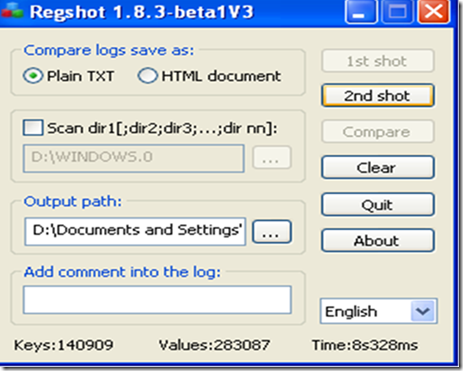
- This will open the results for you.
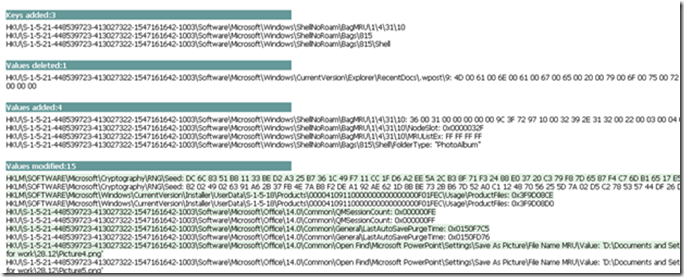
Regshot is a free to use registry comparison software. One good use of this freeware is to find out which registry changes were made by a software installation. For that, take a snapshot of the regitry before installing any software. The install the software, and again take snapshot of the registry. Then you can use Regshot to compare both the registry versions.
Another similar software we reviewed earlier is Free Registry Manager.