InstantLogonChanger is a free software to change login screen of Windows. It’s one of the best software available across the internet for customizing your login screen. The best part about this software is that its very simple to use, highly effective and most of all; its available for free.
Downloading and Installation
I used download manager to install the software, which increased the speed of the setup process. It hardly took me 2 minutes to get done with the installation process and start the software. It takes up hardly 120KB space, so I was pretty happy with that as well!
Interface of this change login screen software
For a software which has a very limited scope, interface must be kept very simple. InstantLogonChanger has one of the simplest interfaces you will ever see. Three tabs of Logon Background, Settings and the mandatory About us are present. It’s one of those interfaces, which is designed to keep it simple.
Working of this change login screen Software
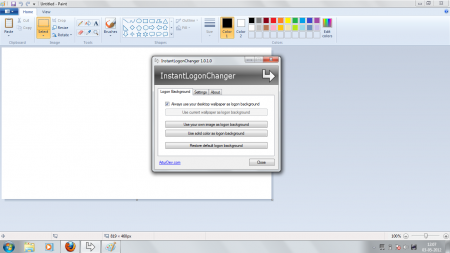
Logon background, as expected, is the main tab in this software. There is an option to use the desktop background as the Logon background, which is done by default. The other options are to use your own custom image as the Logon background or to use solid color image as the background. Restore to the default setting option, is also present! By default, after installing the software, your desktop background will be the logon image.
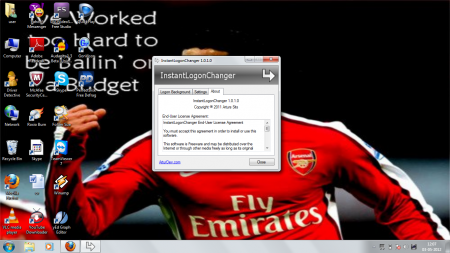
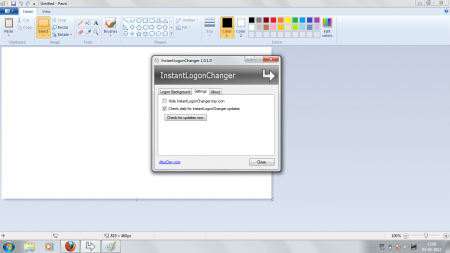
There are just two settings options. One is to hide the software icon, other is to check for updates. The about us tab has the agreement of the software listed, while also mentioning the developers and the version of the software.
Strengths of this Software
It’s difficult to change your Logon background, without tweaking your security settings and obtaining the privilege to access the logon background zone. InstantLogonChanger lets you do that in an easy manner. You just have to use the interface to change your login background. You can use any format of an image, which you may wish to put up as the Logon background. The basic formats supported are JPG, BMP, GIF. The ability to adjust your image, just like you would do to your desktop background; is also provided.
Negatives
The software has a limited scope of changing the logon background. This may only appeal to those who try to modify their system’s appearance.
Our Verdict
If you want to change your logon background like the way you change your desktop background, InstantLogonChanger is the perfect software for you. Its very simple to use, effective and most importantly; hardly takes up any space! It’s certainly worth trying if you are a big fan of customizing your PC.
