DeEgger Embedder is a free security software which can create files which have other files hidden in them. Sensitive files are not always safe on Windows platform, and this is where the DeEgger Embedder is very helpful. This is Windows-based software in which files, which can contain other hidden additional files can be secured using the encryption technique. It can secure any file format such as .jpg, .avi, .mp3, .png, .pdf and many more. DeEgger Embedder is developed specially for the Windows and does the job in an easy and systematic manner.
Download:
You can use the above link to download the executable file. The size of the file is only 452kb. After the completion of download, scan this executable file for security reason. I found no presence of virus, Trojans, malware or any kind of malicious items. The executable file will then install the real DeEgger Embedder whose size is around 550Kb only.
System requirement:
To run this software you must install .net framework 2.0 otherwise it will not run on your system properly.
Installation of this security software:
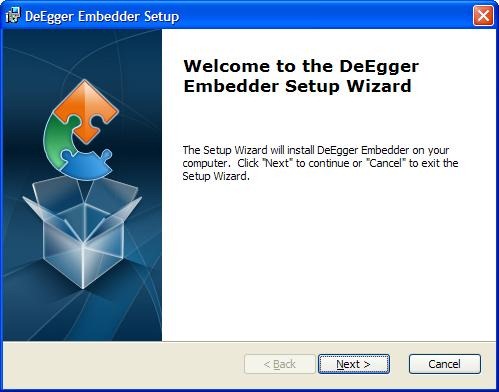
The set-up file will start and by following the simple instructions you can install this software in no time. The latest version which I am using is v1.09. After installing, this software it takes about 0.60MB of your hard disk space.
How to use this security software:
If many of you are still puzzled about the working of this software, then this section will clear all of your confusion. After the successful installation of this software the program will run automatically (select the checkbox).
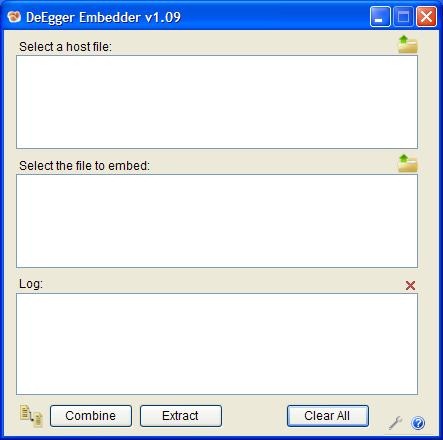
In the section “Select a host file”, you need to choose a parent file in this case any file format can be used. This parent file will have children file that will be hidden for security purpose. Even you won’t be able to access the secondary file without taking the help of DeEgger Embedder.
In the other section “Select the file to embed” you need to choose a file, which you want to hide from, other users. You can select as many files you want as these files will be hidden. Log section is where all the information about the process are displayed, which I feel in many ways is very helpful.
To add file(s) right-click on the particular section, and then add the appropriate file. In this particular section means “Select a host file” or “Select the file to embed”. The right-click function can also be used to remove the files and clear the interface. There is also another way to add file, which is by clicking on the file icon, which is present above each section.
There are three buttons which are present on the user interface. Combine button is used to hide the secondary file in the primary file. The extract button is used for extracting the hidden secondary file(s). “Clear all” button is to clear all the information, which is present on the user interface.
You can also check out Veneer and Our Secret free software to hide files under images.
Overall:
DeEgger Embedder consumes very little system resources and is very stable. The user interface is very easy and simple to use. Another good thing about this software is that it is available for free. It is recommended to try this software with sample files before using it completely. In this way, you will get an idea about how to use it.
