Here is the list of 5 best free rootkit remover software.
These free rootkit removers perform a deep scan to detect and remove rootkits from your PC. Mainly, the targeting area for scanning remains disk sectors, drivers, and system files.
What is a Rootkit?
Rootkits, in simple terms, are the malicious software that can steal confidential information (say your accounts’ password) from your system, make your PC vulnerable, make installed software (including antivirus) malfunctioning etc.
Here is what Wikipedia says about Rootkit:
A rootkit is a type of software that is designed to gain administrator-level control over a computer system without being detected. Rootkits can be installed in hardware or software targeting the BIOS, hypervisor, boot loader, kernel or less commonly, libraries or applications.
There are many kind of rootkits, like Stoned, RLoader, ZeroAccess, SST, Trup, TDSS, etc.
Some of these rootkit removers scan your system to remove rootkits, while others also prevent rootkits to install on your system.
Using a rootkit remover or anti-rootkit software does not mean that you can ignore the need for a good antivirus. You should always have an anti-virus installed and enabled on your PC (here are some good choices).
Lets have a look at these rootkit remover software.
Malwarebytes Anti-Rootkit
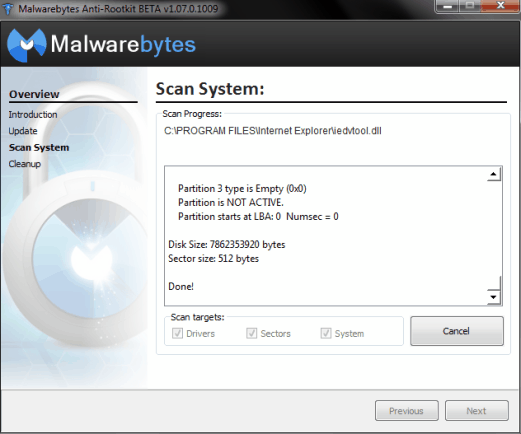
Malwarebytes Anti-Rootkit is quite a useful rootkit removal software. It comes with a unique wizard like interface to scan your PC. It can scan disk sectors, system files, and installed drivers to find out the presence of rootkits. When you start this software, it will update its virus definitions, to ensure that it knows about the latest rootkits out there.
Scanning process could be slower than your expectations. But as thorough scanning is done by this software, so it helps to get more accurate results.
If rootkits are found by this software, then it will give the option to remove those rootkits. A PC restart might be required after cleanup process. Moreover, you can perform another scan to make sure that all threats are removed. It is simple, portable, and handy anti-rootkit software. It is a portable software. If you want, you can even extract its setup file contents in a Flash drive, and can run it from there.
Full review can be read here.
McAfee Stinger
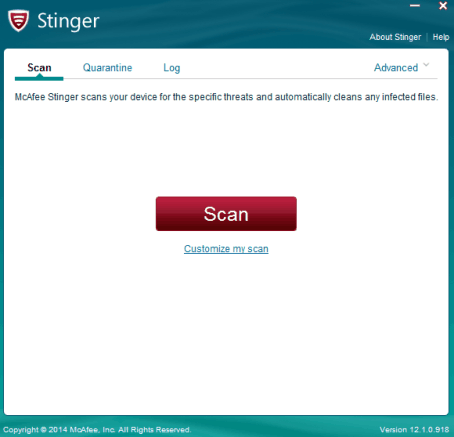
McAfee Stinger could be one of the best rootkit remover software in this list. It scans for a huge list of threats, such as: AFXRootkit, Adware-Crossrider, BackDoor-EXI.gen.ak, DNSChanger.dt, Exploit-MS04-011.gen, FakeAlert-BE.gen, Generic Downloader.po, Generic FakeAlert!Ink, HideVault!sys, HideWindow.dll, IRCbot.gen.ah, JS/Autorun.worm.aabn, W32/Autorun.worm.zx, ZeroAccess, and lots more. To find out complete list of threats it can detect, you can access Advanced option available on its interface. By default, it scans for processes, boot sectors, Windows registry, rootkits, loaded modules, etc. But you can customize settings to add more directories and enable scan inside archives. If threats are detected, it will try to repair threats. But you can set settings to either rename threats or remove them from PC.
Its interface also provides a Quarantine section where it stores a backup of infected files (which might not be infected files as well). This is helpful if you need to restore those files later.
It is also a portable software, like others present in this list. So you can directly run it.
Full review is available here.
Dr.Web CureIt!
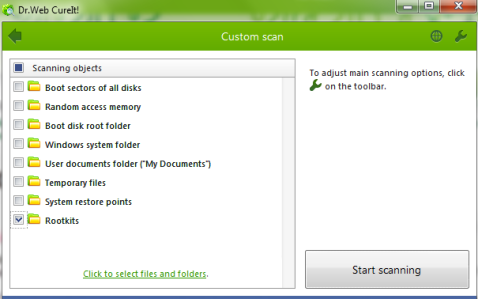
Dr.Web CureIt! is also a very handy rootkit remover software and available free for personal use only. Special feature of this software is that apart from specially searching for rootkits, it can scan temporary files, system folder, boot disk root folder, RAM, and disk boot sector. Thus, it increases the scanning area as well as the chances to detect rootkits, if available. Moreover, even if there is any other kind of malware, spyware, trojans, including rootkits, it can find on your PC. It comes with full scan and custom scan modes. Using custom scanning mode, you could select objects that you want to scan. Another interesting feature of this software is that it lets you choose which files and folders you want to scan. Thus, if you have a doubt that any of your PC files or folders are infected, you can start the scan with those folders.
Dr.Web CureIt! comes with 142 MB executable application size. It can be run without installation. Statistics collected by this software during scanning are sent to Doctor Web (online) for this software quality improvement program.
You can find its full review here.
Kaspersky TDSSKiller
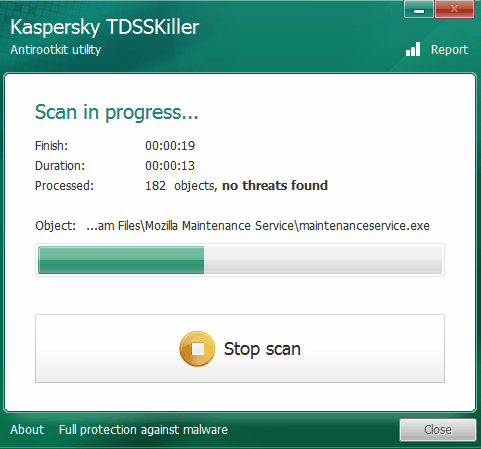
Kaspersky TDSSKiller is quite good software to find and delete rootkits (if present) from your PC. It shows the name of rootkits that it can delete. This could be handy for experts as well as for normal users, as they can find out what exactly this software does. It can detect and kill rootkits, such as: Phanta, Sinowal, Pihar, SST, Cidox, Whistler, Cmoser, TDSS, ZeroAccess, Stoned, Trup, and RLoader. Apart from this, it can even find out rootkit-like anomalies. Moreover, it can also show you suspicious objects, such as: hidden services, blocked files, trojan virus, etc. If any of the suspicious object or rootkit is found, then it lets you delete them, and reboot might be required. However, it is also possible that some of the suspicious files detected by this software are not actually infected files. Therefore, you need to take the final decision.
Kaspersky TDSSKiller lets you start the scan with default parameters. But you can customize those parameters. It lets you scan boot sectors, loaded modules, Windows services and drivers, and system memory. It is a portable software available as a setup file and as in zip archive. To download this software, you first have to provide your name and email address. Then it sends an email to download its setup file.
Check the full review here.
Sophos Virus Removal Tool
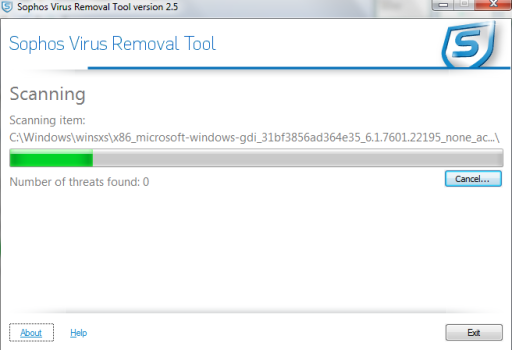
Sophos Virus Removal Tool is another well-known name that lets you remove detected rootkits. It is 90 MB in size. As you will run it for the first time, it will download updates. It is quite useful as this could help to detect rootkits more accurately. After this, it will perform a deep scanning which includes scanning of system memory, system files, Windows folder, program files, etc. It always does full scanning only, and does not let you select what you want to scan. Your PC might become slow during scanning process, but you should let the full scanning complete to get results whether your PC is infected or free from rootkits.
To download this software, you first have to provide some details on its homepage. Details will include your phone number, name, company name, etc. Then only its setup file will be downloaded to your PC.
You can check full review of this software with this link.
Conclusion:
All these rootkit removers are beneficial software. Thankfully, my PC is free from rootkits. I performed full scanning with all these software. Also, it is too difficult to say which one could be most suitable for you. It is possible that some objects (could be rootkits) can be skipped by one software, but detected by another. Therefore, relying on any one of these software might not be a satisfactory experience for you. So you should go with multiple software. And yes, always have a good antivirus installed on your PC to remain protected :)
