Here, are 5 free App Launcher for Mac that will improve your productively by reducing the time required to find and launch an app. Each one of these have some different and specific features, so go ahead and download them, and see which one of these launcher for Mac suits your needs the most.
Alfred:
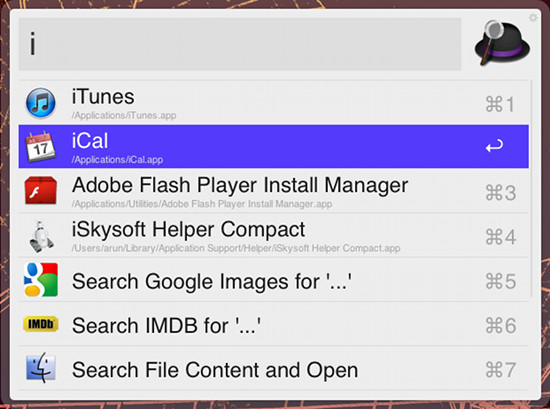
Alfred is again a quick launcher application for Mac that increases you productivity by reducing mouse related actions. This totally free launcher is elegant, simple, and functional. The elegant interface makes this free application pleasing to use. This is simply better than Spotlight and will change the way that you interact with your Mac. To launch this free application, just click on the hat icon in the menu bar and just start typing what you want. Alfred launcher for Mac has an amazing set of feature and is smart. Also there are extensions that increase its functionality even more.
Complete Review: Click here
Works with: Mac OS X 10.6
Price: Free
Download: Click here
HimmelBar:
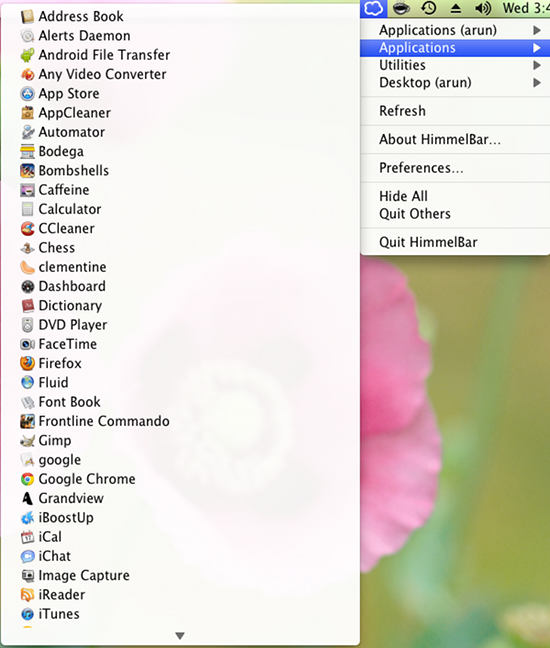
HimmelBar is a free launcher for Mac, but it is a little different from all the ones that I have stated in this article. This simple tools adds a launcher in the menu bar of your Mac OS X. This is one of the simplest and easiest way to launch application directly from the menu bar of your Mac OS X as seen in the screenshot above. If you like to hide the dock or use the new full-screen mode, or both, then you will really like this app launcher for Mac. This app launcher for Mac is fast, free, and simple. I would really recommend this application if you are coming from other operating systems and are new to the Mac experience. This application will list all the apps stored on your Mac in an easy to access list in the menu bar. The list shows the applications according to categories are seen in the screenshot.
Complete Review: Click Here.
Works with: Mac OS X 10.4
Price: Free
Download: Click here
Launcher:
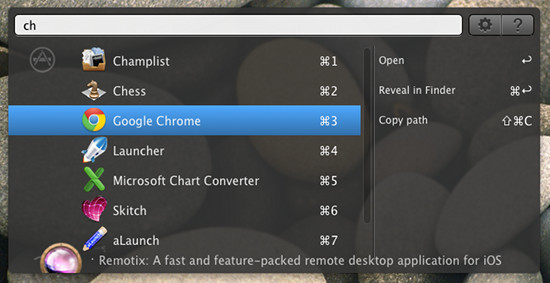
This launcher for Mac is simply called Launcher. This light weight utility speeds up the way you interact with your Mac. You can use this application to launch applications as its name suggests. Also this app has amazing amount of functionality that includes ability to perform searches on the internet, use commands to perform operations of the system by simply typing them. It can also do calculations and look up meaning of words, and execute shell commands with even opening up the terminal app . Only problem with this app is that it shows advertisements, which is okay, considering it is free.
Works with: Mac OS X 10.6.6
Price: Free
Download: Click here
Launchy:
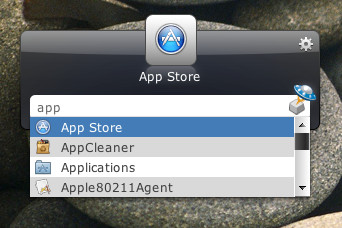
This free launcher for Mac started out as a Windows app, and now has expanded to the Mac platform. This has most of the functions of other launcher applications. One thing that sets it apart is that this free launcher for Mac OS X supports skins, and you can change the way the application looks with these themes. This open source application is available across all the major operating systems. With this app you can find applications, files, and folders with ease without even opening up the Finder.
Works with: Mac OS X
Price: Free
Download: Click here
QuickSilver:
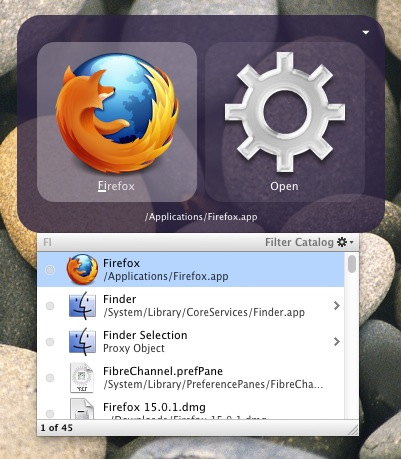
QuickSilver is a simple and handy app launcher for Mac OS X. This is a launcher that allows you to reach for apps, files, and folders with just a few keystrokes. This application was present before the era of Spotlight. The app is very simple and easy to use. The search function of this application is very fast and simple. Also there is a large library of plugins for this free launcher for Mac. With these plugins you can manipulate text, interact with iTunes etc. In simple words the application would not have been popular without its plugins. But for now, the development of this application has slowed down and there not much changes to be seen on this free app launcher for Mac. Anyway, this is a good application if want to quickly find apps.
Works with: Mac OS X 10.6
Price: Free
Download: Click here
Let me know in comments below if you have any other favorite app launcher for Mac.
