Wise JetSearch allows you to find your files more easily, it’s a search tool that has a lot of interesting features, which can compliment the basic functions that you get with the default Windows search tool. Keeping track of files can be very difficult, especially now that computers have amazingly large disk space which can be used to store large amounts of files. Wise Jet Search can help you find files located anywhere on your computer, and it can do it in a few clicks.
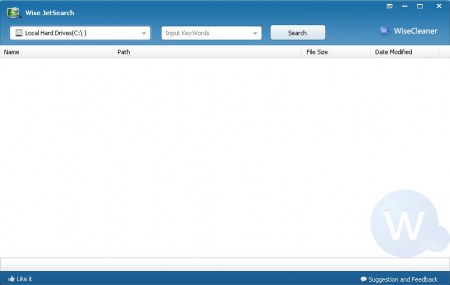
Default window of Wise JetSearch doesn’t have much on it, you just have the basic search options at the top of the application window. What’s interesting about Wise JetSearch is that next to the default window which is shown above, there is also a small roll down search box which you can use for quick searches, without the need to open up the main application to type in the search term.

This small search field that Wise JetSearch adds is located on the right corner window of the desktop and it will hide as you hover with your mouse over it. Obviously results that you get are the same, regardless of where you’ve made your search. Let’s see what kind of results will Wise JetSearch offer, and if it’s as good or perhaps even better than its competition.
Searching files with Wise JetSearch
Well like it was said in the introduction there is no great mystery when it comes to how file search is done, you select the partition disk where you think file might be, then enter keywords of the files, and click on Search.
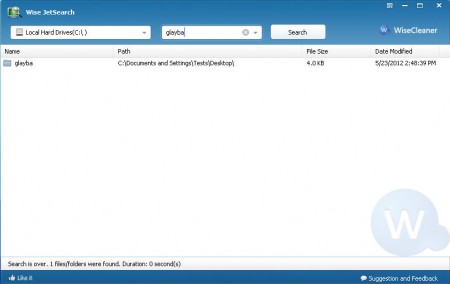
We only received one result but that’s because we were very precise about what we were looking for. The search function of Wise JetSearch is very fast and precise. We’ve conducted a search for a short term that we knew was present a lot throughout the system and Wise JetSearch found them all.
You can also check out VX Search tool for windows reviewed by us.
How to use the quick search in Wise JetSearch
Searching with the quick search can be accessed for example when you are not in the position to be in the applications main window but you need to search something quickly. In that case you can simply close the main app, and the Quick search tool will be left running in the upper right corner of the window. When you need to make a search just hover you mouse over the thin line that’s present on the edge of the screen, enter your search term there and click Search, for the results the main application window will appear.
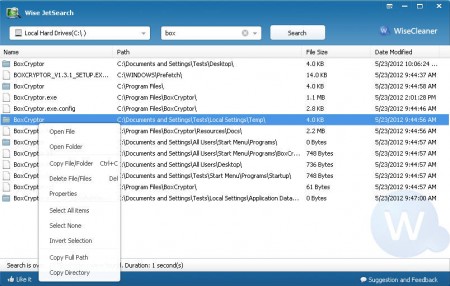
The results for the work box returned a lot more results, which were mainly created by BoxCryptor app. For easier file access Wise JetSearch is offering you to simply right click on the results list and you have several different options to manipulate the found files directly from the program, without having the files opened in the file browser. All in all Wise JetSearch is a decent file search application, definitely give it a try if you need a simple and fast file search.
