Oneword.com is a free website to improve writing skills by writing about a random word in 60 seconds. This may sound easy and indeed for some it quite possibly is, however for the average Joe the plumber, it can be a challenge. This free site presents a visitor with a single word that he or she must write about for a period of one minute. The word is always random, and the writer is encouraged to write whatever comes to their mind. The goal of this website is to improve writing skills of writers.
The website has extremely easy to use interface. Just go to the website, and start typing your text in the text box provided. These is also a slider that is displayed at bottom which shows time elapsed. When I tried this, I was presented with the word “juice”.
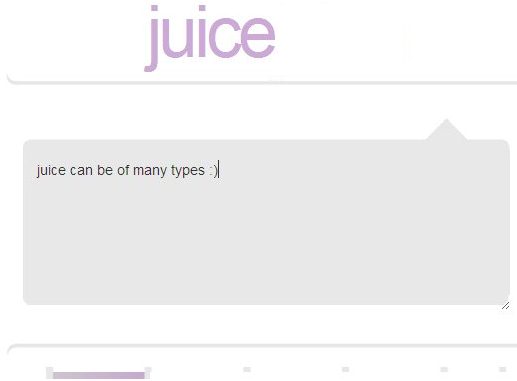
This challenge is based on group writing exercises of the past when a word was presented and a group of people had to write about it until a moderator yelled for everyone to “Down pencils!” Oneword is a lot easier than the group writing exercises.
Although it is an easier version, it is not so simple as to bore any challenger. Indeed, chances are you’ll enjoy the experience of challenging yourself. Oneword is free and if you play regularly, then opening an account will save you having to log on with your email address each time you want to play.
Let’s look at the features of Oneword:
- The service is free to all who love a challenge.
- The service is completely automated.
- A “words-up” option allows users to receive feedback on their writing.
- As soon as a user clicks on the ‘go’ button, a word will be presented and he or she has 60 seconds to write about that word.
- Extremely easy to use and is the ideal learning tool for teachers and other educators.
If you want to improve your writing skills and at the same time increase your vocabulary knowledge, then visiting free Oneword is the place for you. This can also help in increasing your typing speed, though a free typing tutor would be more useful for that.
Oneword was listed as a website on January 24, 2003 and at its initial conception saw thousands of would-be winners writing their fingers off. Nowadays, the site has a steady stream of regular writers and is popular with professional writers as well as with people who just enjoy the excitement of a challenge. If you are a professional writer, then checkout free notepad replacement software, and free blog editing software.
Oneword in recent years is becoming a popular place to visit for grade school, college and literary website academics. As mentioned above, if you’re up to the challenge, visit free Oneword and exercise your writing skills.
