Bonkey is a free backup software which allows users to backup their files. With Bonkey one might create backup copy of their files which can be zipped, encrypted and copied to a pen drive or any other USB mass storage device.
One of the main advantage of Bonkey is that it lets you backup to multiple locations, including Amazon S3, Rackspace CloudFiles, SFTP, FTP, Windows shares, and local disks. This gives more backup options that other popular software like Dropbox, Live Mesh, and SpiderOak.
Also, Bonkey has a set of features which should make backing up file way easier. Not only it would save your time by doing things that would take normally several minutes to accomplish it also allows you to do several things you’ve probably never thought of.
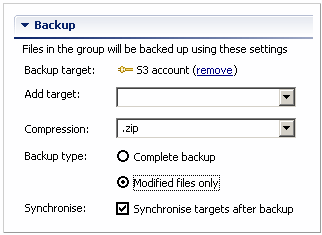
Bonkey also features a “History” section which allows users to keep control of what locations are currently being backed up.
One can’t deny the importance of back ups in these days. So for those of you who still don’t back up and those who already do give back up a try. This software will sure give you a pleasant surprise with its simplicity and usefulness.
How to Use Bonkey:
At the first time Bonkey might not have such a intuitive interface. However, as you take your time to figure a few things out, Bonkey becomes easier and easier to use.
When you open the program for the first time there should be 3 panels: the main panel, the location panel and the ” Welcome to Bonkey” panel.
Since, as previously mentioned, Bonkey might not be so intuitive you’re advised to read the “Welcome to Bonkey” panel.
After you’re done you can click on “My Backup Group”.
A window, divided in 3 sections, should appear with several options to choose from. Choose all of them according to your preference.
When you’re done you can simply close the tab and Bonkey will automatically save it.
Alternatively, to create a new location one can right click a empty space on the ” Locations” tab and select “Create new location” from the context menu.
Features of Bonkey:
- Quickly and automatically back up your files.
- Keep a History log of when you backed up for the last time.
- Encrypt, zip and send your backup files to usb mass storage devices.
- Works for both Windows, as well as Mac OS X.
Bonkey is a feature rich backup software, and is especially useful if you want to backup your files to FTP/SFTP location, or cloud sites like Amazon S3 and RackSpace CloudFiles. However, if you just want to store the backups to more traditional storage devices, you can try easier to use backup software like Yadis Backup, JaBack, StorThing, and Wuala.