SmartClose is a freeware to close all running programs, and save system state to open those programs again later. Now-a-days, almost all the latest software asks you to close all the programs running on the PC before installing the software. And that’s where you get the benefit of SmartClose. You can close all the programs by yourself but still it’s not possible to close all the hidden running programs, stop your screensaver and stop the programs that might appear on the screen when any important work is going on.
SmartClose’s unique concept of system restoring helps you to close all the ongoing programs, stop the screensaver and also stop the ongoing processes that can come as an obstacle when you are performing a work that requires closing all the apps. And it performs all these action by taking a screenshot before closing all the apps. It’s called system snapshot and it helps you to restore all the programs, processes and screensaver with just one click.
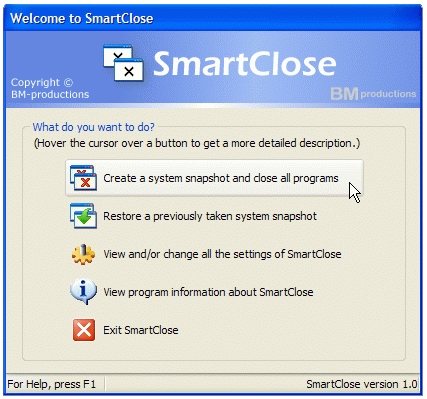
This free system restore software is designed with easy-to-use interface. You will find the download link in the official page of SmartClose. Once you have downloaded the software, just install it and it’s ready to use. After launching this free system restoring app, you will see everything is arranged nicely and you don’t have to look for help to use this app.
Also check out System Restore Manager, and Comodo Time Machine.
Let’s See What SmartClose has to Offer:
- SmartClose comes with two wizards. One wizard is for closing all the programs and other wizard is for restoring all the programs with its system snapshot feature. These wizards come with easy-to-use interface along with step-by-step process so you don’t have to face any trouble to use this app.
- With SmartClose, you can close all your programs smartly! Before closing the programs, they save the settings of the program so whenever you will restore them, you will get all your unsaved settings back.
- Sometimes, when some programs shows stops responding properly, SmartClose uses its special feature, SmartKill. It kills the program and frees the memory used by the program.
- If you don’t want to close a specific program, add it on the list of protected programs and SmartClose won’t close the program.
- And the main thing is, you get to use all these features with SmartClose for free!
Click Here to Download SmartClose
