Here is a free Audio recorder app for Windows 8 appropriately named Audio Recorder. The app has pleasing interface and offers you with a set of features that makes it easy to record and playback the recorded audio in Windows 8.
With this free audio recorder app, you can record audio notes with complete ease. Also the app offers you the user the ability to store the files directly to the SkyDrive. In this manner you can access and share these recorded files with complete ease.
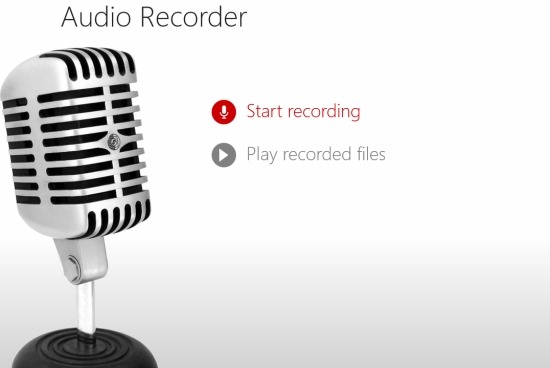
This audio recorder app for Windows 8 is extremely simple to use and makes it easy to record audio notes and store them as projects. In this manner, you can keep your recordings organized easily with Audio Recorder for Windows 8.
To download this audio recorder app, click on this link. The link will re-direct you to the Windows store from where you can download this app. After you have managed to install the app, just run it from star screen of Windows 8.
Once the app opens, just click on the start recording button and you will have the interface as shown below in the screenshot. Now just click on the tiny record button as pointed out below to start recording audio.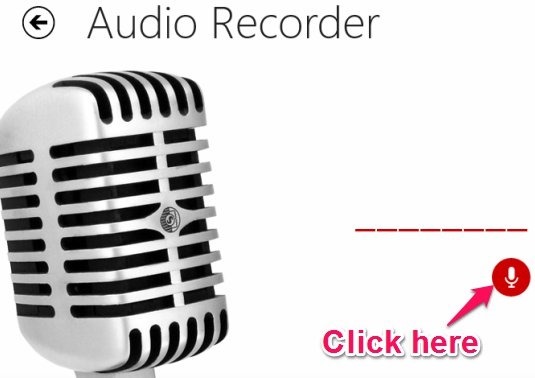
After you have started recording the audio you will be able to see red bar spectrogram as shown below. Once you stop the recording the audio file with the time stamp on it will be shown on the right side of the app window. Also you can change the name of the project by clicking on the title as pointed out in the screenshot below. 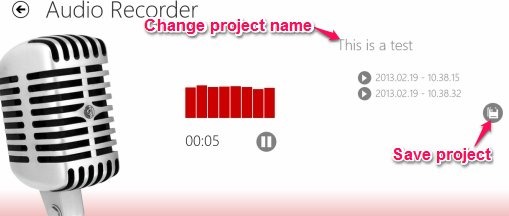
Now to save the project just click on the save option as pointed out in the above screenshot. This will bring up a window as shown below which enables you to choose between Local File System or the SkyDrive. After it has successfully saved the project the app will bring up a success notification.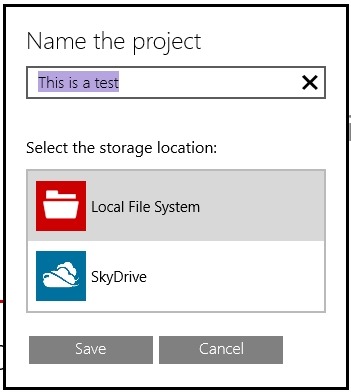
To playback the recorded audio within the app just head back to the main window and click on the play recorded files button and you will be presented with the options to choose the location as shown in the screenshot below.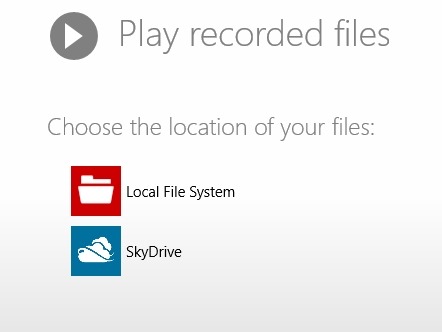
After you have managed to open up the recorded files you will be presented with the interface as shown in the screenshot below. This interface provides you with an easy environment in which you can playback the recorded audio files within the app.
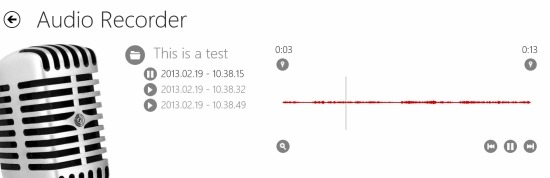
Also the files are recorded in MP3 format so you can play them with virtually any media player application.
Verdict:
This is simple and straight forward audio recorder app for Windows 8 and it offers you the ability to record and playback audio in Windows 8. One of the most useful feature about this app is its ability to save files directly to the your SkyDrive account. If you prefer a desktop application then try out Swiftrun Free Sound Recorder for Windows.
