Download QuickTime 7 from Apple Homepage for free. For all the Apple lovers, It’s Party Time, Folks. (Thanks Steve, We all miss you, The World’s never going to be the same without you). QuickTime 7 is one of the Best media player, Apple has over the counter. It has made buzz right from the time of launch.
This time round, the Apple developer team have tried to shed some of the glitches in the previous versions. Loaded with Quick Edit and File conversion features, Quicktime 7 is certainly hot on heels of other media players. With Quick Edit, you can cut, copy, paste and merge audio and video clips. Also you can play a media file in one format and save in other format. This post is intended towards helping readers in downloading and installing QuickTime 7.
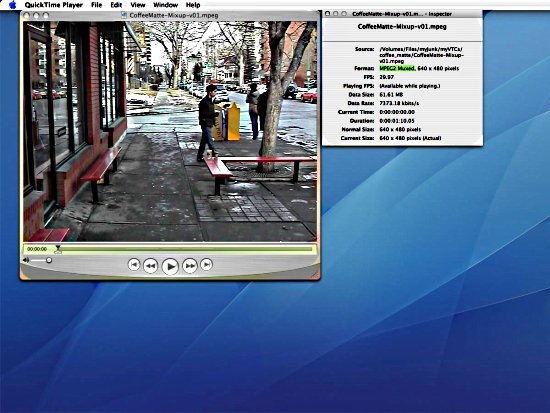
Features of QuickTime 7:
- Better Editing Features than QuickTime 6, Cut, copy, paste and placing the media file on a virtual canvas, QuickTime 7 does all of this.
- Multiple Format Support, QuickTime 7 supports
- QuickTime Movie (.mov)
- MPEG-4 (.mp4, .m4v)
- MPEG-2 (OS X Lion only)
- MPEG-1
- 3GPP
- 3GPP2
- AVI
- DV
- iTunes Audio (.m4a, .m4b, .m4p)
- MP3
- Core Audio (.caf)
- AIFF
- AU
- SD2
- WAV
- SND
- AMR
- Inbuilt Video Converter, you can play videos with QuickTime in one format and save in another.
- Screen Recording, QuickTime 7 allows you to capture video playing on your screen.
- Show Mouse Clicks in Recording, Make A Video Tutorial with QuickTime 7.
- HD video uses less bandwidth and storage, You don’t have to bother about your computer slowing down while playing a HD Video.
- Available For Windows and MAC, QuickTime 7 plays in both the popular OS Windows and MAC.
System Requirements for QuickTime 7 for Windows OS:
- Windows XP (SP2 or later), Windows Vista or Windows 7
- 1GHz Intel or AMD processor
- 512MB of RAM
System Requirements for QuickTime 7 for MAC OS:
- Mac OS X v10.5 through v10.5.8
How To Download QuickTime 7:
- Go To the QuickTime 7 Homepage.
- Click On Download Now Button.
How To Install QuickTime 7:
- Double click on the QuickTimeInstaller.exe.
- Approve the QuickTime 7 license Agreement.
- Select the destination for the QuickTime files.
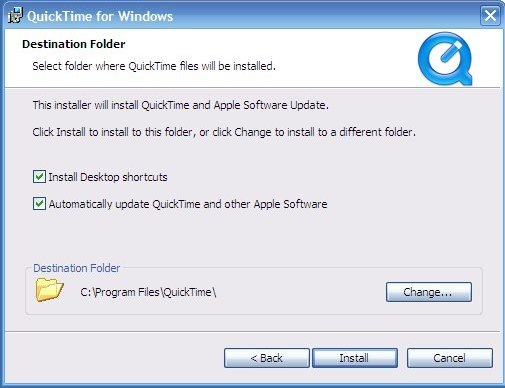
- Then click on Install.
- After the Download concludes, click on Finish.
Apple QuickTime 7 is the advanced version of the media player in the stable. Now you can Download QuickTime 7 from Apple Homepage free.
