uMusic is a free software which lets you upload your music to YouTube by mixing it with a picture or slideshow of pictures. There are lots of programs available online which lets you download YouTube videos or audios from the YouTube videos. But what if you are trying to upload a song to YouTube? There are not many programs available online which will aid you to upload YouTube videos especially when the content you are trying to upload is an audio song.
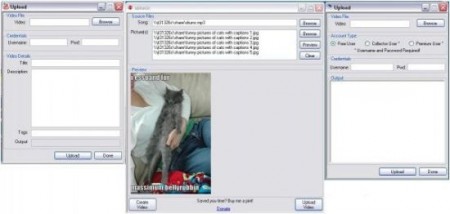
In order to do that there is only one way left. You have to mix it with a picture or slideshow and then upload manually by any browser. That’s may be tolerable if you are not uploading too much songs. But if you have a number of songs to upload then it will be a really frustrating experience for you. This is where the necessity of uMusic comes. This YouTube mp3 mixer and uploader will do it all for you so that you do not have to waste your time in Windows Movie Maker thinking which format will be the best. All you will have to do is to select the songs and the pictures you want to mix and upload.
Using uMusic is very simple. After opening the program you will see the e boxes and browse buttons. Select the source file from the Browse button behind the song text box and below that select the pictures in the same way. There is a preview window where you can watch the preview of the output file. After combining those you will have two options. Either you can save it to your hard drive or you can upload straight to YouTube using the built in uploader provided with uMusic. This uploading option is one of the best features of this software which will save a lot of time for you.
If you are looking for simple YouTube uploader, you can try Free YouTube Uploader, VideoSpin and MP32Tube reviewed by us.
Features of uMusic:
- It has a very easy to use interface. Selecting the songs and the pictures is all you have to do.
- Built in uploader. You can upload the songs directly without wasting much time.
- Option to upload to file hosting sites like Rapidshare also gives more choices for uploading.
uMusic is available for download at uMusic’s official website. It’s only 600KB in size and supports Windows. Download uMusic free here.
