Prevent Restore is free software to make deleted files and folders unrecoverable. It overwrites deleted files with random data, so that deleted files cannot be recovered.
There are tons of free data recovery software available, and it does not require geeks to recover deleted files and folders from system and hinder your privacy. Deleted files can be recovered even when you delete them from recycle bin, since the contents of the file leave an impression on the hard disk unless re-written. Anyone can recover your valuable and secret data, just by using some software to restore deleted files, so you need some software to permanently delete files and folders.
So when you sell off your PC, you may think that you have erased all your personal files and financial records. But you never know who is looking into your PC’s hard disk for information which may benefit them at cost of your privacy. Here comes Prevent Restore, the free file deletion software.
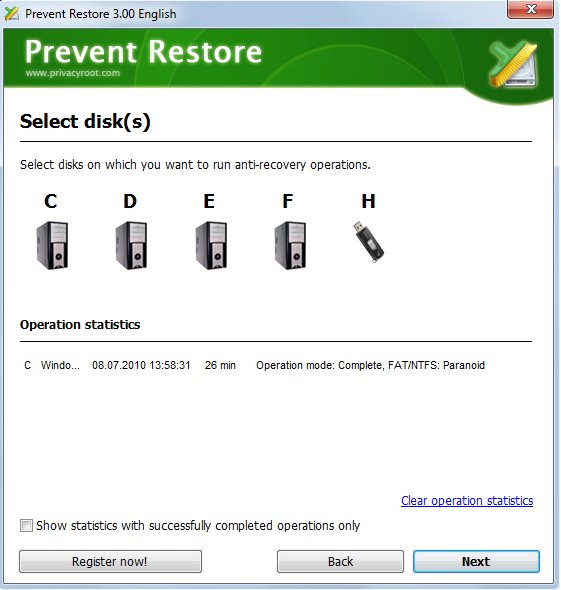
This free deletion utility is so simple that anyone can use it to make files irretrievable. The free deletion utility is free to download and you can use it to delete files completely. Prevent Restore follows simple logic; it overwrites all the free space available in the fragments of the hard disk to make files irretrievable.
By overwriting the free space with Prevent Restore, the impression of the deleted files on such space vanish. The free file deletion software overwrites all the free space from beginning to end including middle ones to delete files completely.
Prevent Restore also works fine with removable disks like USB memory sticks and any kind of removable media. But the free deletion utility does not work for CDs and DVDs. You also use save passwords in Windows, this saves your important passwords in paging files which is located in virtual memory of Windows. Prevent Restore is so intelligent that it can also delete files for free from paging files, ensuring that your passwords are not accessible to anyone.
Features of Prevent Restore:
- Overwrites free space with random data
- Easy to use wizard
- Makes unrecoverable temp files, cache
- Supports security algorithms
- Shut downs your PC when anti-recovery process is done
- Empties Recycle Bin
- Automatic free updates
For those who want another free deletion utility, Eraser and Disk Scrubber are also useful tools.
