MeGUI is a free open source, audio and video software using which you can rip DVDs or convert video files. It is free to download and use.
MeGUI is a front-end application widely used in ripping a DVD. The process has never been so easy and simple as it is with MeGUI. This free video converter is an experts choice as it supports many transcoding tasks and loads of codecs. This free DVD ripper houses in it a number of utilities to improve and enhance the conversion or ripping process.
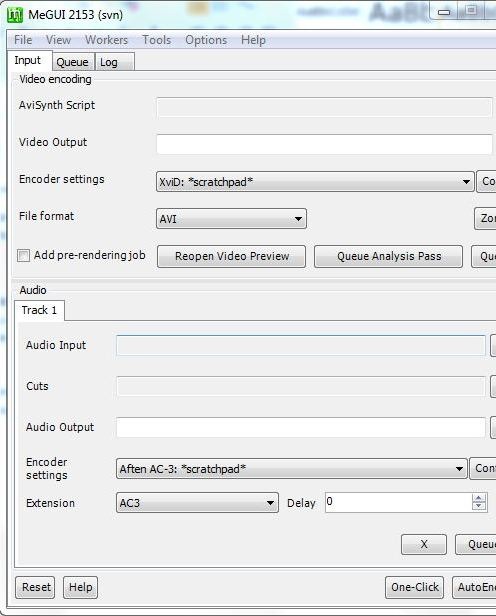
Features of this DVD ripper and video converter
- Supports MPEG-4 , AAC, MP3, Flac, etc.
- MeGUI has number of tools in aiding you. They are Audio Cutter, AudioEncode, AVC Levels Checker, AVC Quant Matrix Editor, AVS Cutter, AVS Script Creator, Bitrate Calculator, Chapter Creator, File Indexer, HD Streams Extractor, Muxer, One Click Encoder and VobSubber.
- With MeGUI you can handle a number of parallel tasks which improves efficiency and performance.
- MeGUI is a stable open source software.
- It auto updates itself so that you are always up to date.
- MeGUI offers extraordinary control and efficiency.
- It is easy to use MeGUI as the interface has grouped tools and tabs according to their functions.
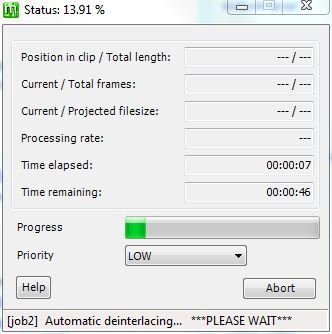
Tips for Installation
- After downloading MeGUI, extract the contents to a folder.
- Install Avisynth by running the Avisynth installation file from the extracted content (Avisynth is required for running MeGUI).
- Then double click the MeGUI icon. The available extracted updates will automatically be installed.
- After the updation process MeGUI will restart itself.
- Now you can start using MeGUI.
If you are interested to try some more video ripper and converters, you can check out WinX DVD Ripper, VidCoder and Sothink DVD Ripper.
MeGUI is a simple and easy to use application. It houses a comprehensive step by step online Wiki user guide. The guide is written in a lucid way that it helps even a stranger to get easily acquainted with MeGUI. The guide includes step by step procedure to rip a DVD as well as many advanced encoding guides. MeGUI is a stable application and works very well without any crashes. Test results show excellent performance of MeGUI. MeGUI is the ultimate destination for all those rippers and encoding professionals. Try MeGUI it is sure to leave you stunned!
