Brain Workshop is an interesting, free educational software that improves the working memory of the users. According to a study, if a person practices Brain Workshop for 20 minutes every day, then it will increase their intelligence and help in remembering important things. It has a dual game mode as well as a single cue. In the dual game mode, the player has to match sequence of position of square and the sequence of letters in this free educational game. If the player feels that this is becoming very tough for him then he can start by focusing on only one cue.
Installation of this educational software
To download Brain Workshop you need to go to this link. After visiting the link, click on the download button and an .exe file will be downloaded. The file is of 10 MB and it might take some time to be downloaded. After the .exe file is downloaded click on it and the installation process will start. Then you just need to follow the usual installation process and finish the process. As soon as the software is downloaded you can start playing this free educational game. If you are interested to try some more educational software, you can check out Sight Words Buddy, Letter Sounds and Ray’s Letters And Numbers reviewed by us.
Interface of Brain Workshop
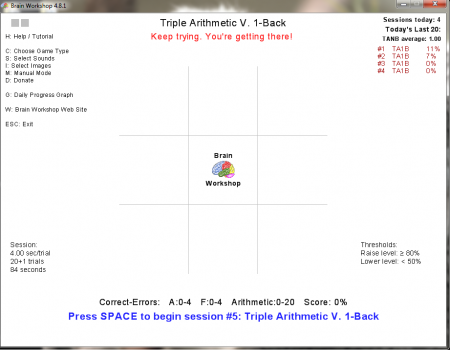
Brain Workshop has a very simple interface that is user friendly and has all the options on the screen. It is not made to look very stylish and its simple interface helps you to use this free educational software without any hassles.
Using Brain Workshop
Before you start playing Brain Workshop you should make appropriate changes in the software. In the left panel of the software you can find all the options that will help you make the changes. If you type “C” then you can choose the type of game that you want to play. Once you press “C” you can select whether you want to use position, color, image, audio, arithmetic, etc. Here you can also make the changes in the size of the interface.

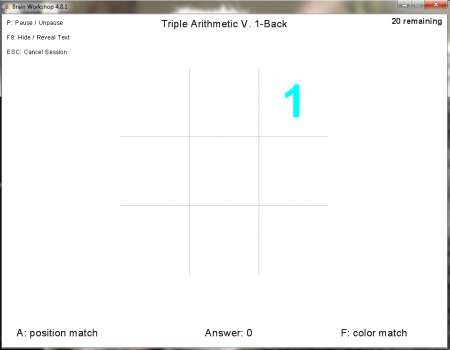
By pressing the “S” button you can select the type of sound you want to play. There are two channels and you can make the changes in both channels accordingly. The “I” button will help you select the type of images that you want to include in the game. There are different images available like cartoon faces, national park service, pentominoes, polygons basic, tetrominoes fixed. The “M” option will change all the options from automatic mode to manual mode. “G” helps you have a look at the daily progress graph and “ESC” will close the software.

At the top right you can have a look at the sessions you have played, the last 20 and your average score. Below at the right panel one can have a look at the rise and drop in the threshold level.
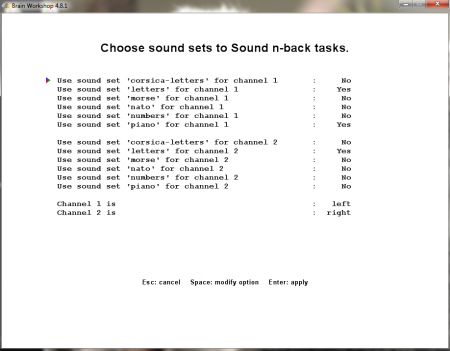
Once you press the Space button, the game starts. You get 20 chances to answer and score in the game. If you feel that the position is matching then you need to press the letter”A” and if you feel that the color is matching then press the letter “F.” Your answers will appear near the “Answer” option at the bottom and if you want to pause the game then press the letter “P.” While you can cancel the session by pressing the “Esc” button and F8 button helps in hiding or revealing the text. Overall, Brian Workshop is a great, free educational game that you can try everyday to improve your memory.
