FlagTunes is a free, lightweight and very simple to use music player where you can open your music collections and enjoy in them without sacrificing a lot of system resources, but also without sacrificing the overall music player experience, because the FlagTunes interface looks very modern and it even has some useful features like music playlists.
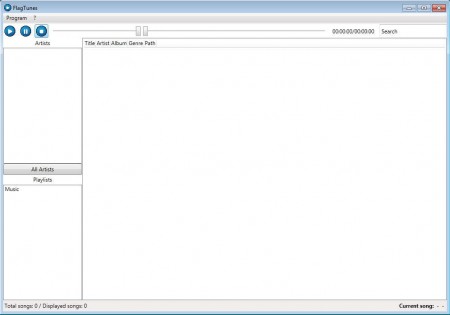
We already mentioned that the interface of FlagTunes is rather simplistic, but that’s OK because when we opened up the Windows Task Manager and checked the resource consumption, we found that only around 8MB of RAM was used, which is a fair trade off, simplicity for low resource usage. Other music players like Winamp offer a lot more features, but they are also notorious resource hogs, which is not a good thing for users that have older computers, which are still working fine, but are cursed with low system specs.
Similar software: Danjukebox, Mcool, Boom Player.
How to listen to music with FlagTunes – Free, lightweight and simple music player
Before you’ll be able to listen to your music collection with FlagTunes, you’re going to have to import it into the main application. Do this by selecting Program >> Add Music, which is pretty much the only option offered by this lightweight music player. Once that you select Add Music, you should see the standard folder selection window. All the major formats are supported:
- MP3
- WAV
- FLAC
- MP4
so you should not have any kind of problems with songs not being detected by FlagTunes. If you opened up a large collection of songs, it might take some time for the program to load them all, be patient.
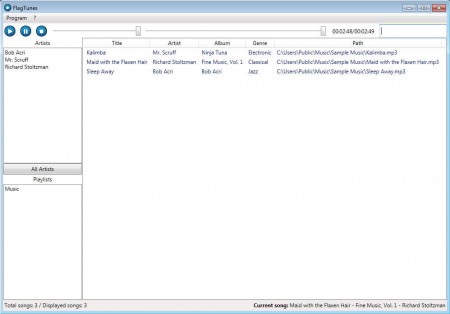
If you added a lot of songs your playlist is going to be filled out more, but the one that you can see on the image above only has 3 songs. On the left side of the screen you can select different Artists from the artist selection area. Clicking on an artist name will filter the playlist and show you only the songs from that particular artist. To restore back the entire list click on the button below the Artist area, where it says All Artists. In the Playlists area of the application window you can select different playlists, if they were created at all.
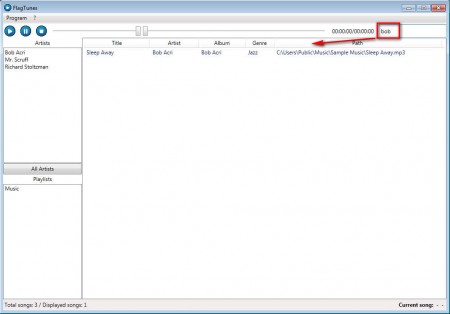
A very useful feature of FlagTunes would be the search function, which can be seen and used in the top right corner of the application. From the three songs that we have in our collection, we decided to search for “bob” since it’s the name of one of the authors and the results came up right away. If you have large music collections with the search tool you can find that one song that’s been on your mind the whole day, very easily.
Conclusion
Seeing how applications, especially music players are becoming more and more resource hungry, small and simple audio players like FlagTunes can come in handy, and best of all its free. Note though that FlagTunes is still in alpha development, so you might find a bug or two, we haven’t any, but it doesn’t means that you won’t, in case you do make sure that you report any problems on the FlagTunes website. Free download.
