FilesOverMiles is a free web service where users can send files to each other directly without uploading to a middleman first. Normally when someone shares files via free file hosts, they are first uploaded to the file host, links are generated which you then give to the person to which the files have to be sent, and then they are downloaded. FilesOverMiles will connect you and the person who needs to receive your files directly, files will not be uploaded to FilesOverMiles at all.
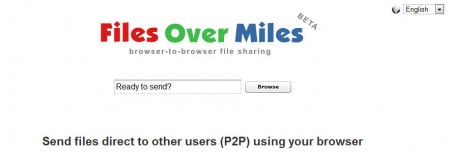
This type of file transfer is known as browser to browser file sharing, and it has its advantages and drawbacks. One of the main advantages would be increased privacy, since the files are transferred directly without a copy being uploaded and perhaps even left on the main server, which is the case when you upload to regular files hosts, some of which are not even offering the options to delete files after downloads. Drawback would be that the sender has to have good upload speeds and router configured so that others can access it, which is not something that everyone has or knows how to do.
Similar software: Orzeszek Transfer,
How to send files with FilesOverMiles browser to browser file transfer
On the image above you can see the main FilesOverMiles website where you can start the transfer process by clicking on the Browse button and selecting the file that you want to send. All file types are supported, and there’s no size limit, those who are interested in sending more files can do that by adding them to archives.
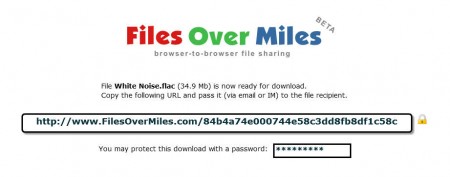
Once that the files are selected you will see something very similar to what can be seen on the image above. Link is generated which is gonna connect the person who needs the file and you. Link can be password protected, as you can see and it will be valid only for the time that the browser window is opened. Make sure that you configure your router, that you allow access through firewalls, open ports and anything else that might block the access to your files. Once all that is done, share the link and the person who’s on the receiving end should see something like this:
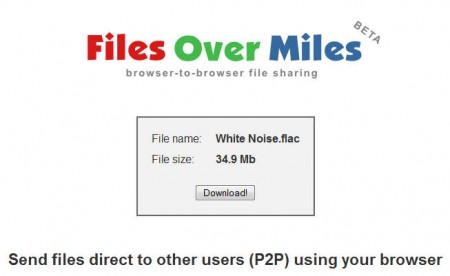
To start the download, just click on Download and your file transfer should start. Download speed depends on what kind of upload speed you have and what kind of download speed is available on the other side. If you have slow upload speed, slower than what the download speed of the receiving end is, then download might take longer than what the person on the other side is used to, because it will be limited by your upload speed.
Conclusion
For those who have high upload speeds, using FilesOverMiles shouldn’t be a problem, in fact it’s best that you use this free file transfer service, because sometimes file hosts have limited download speeds. You can use FilesOverMiles when you want to send files which are bit more private and you don’t want to store them on a middleman file host, increase the protection even further with a password.
