Picnik is a free online photo editor that can make your photos remarkable with just one click. This free online photo editor doesn’t require any registration and it’s free! You will be able to fix your photos, add a touch of creativity with tons of special effects, fonts and frames without any download or installation.
You can use this online photo editor to edit your pictures even if you are not a professional and don’t have any experience in photo editing. Your pictures can get a touch of creativity with this software and you will understand that photo editing was never so easy! There are various effects, frames, shapes and fonts to edit the picture in the way you want. After you are done editing, you can add it on your facebook profile or share it with others on Picasa or Flickr. Picnik is also included as a part of Google Weddings.
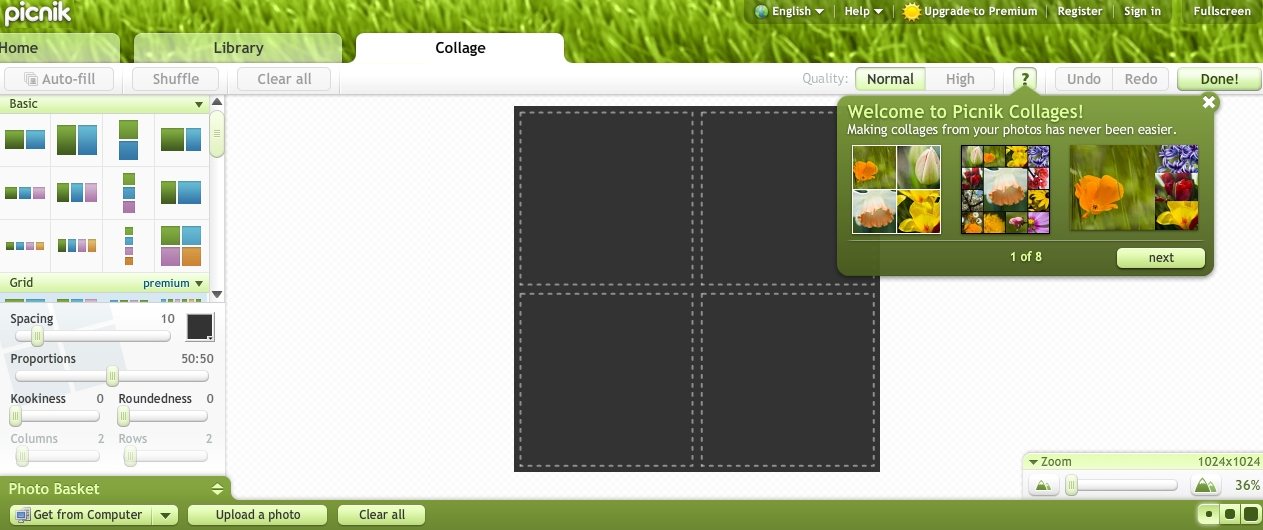
Using Picnik is very easy. You won’t find the navigation system difficult even if you are not familiar with photo editing tools. And don’t worry if you have a slow internet connection as it loads very quickly.
Some other free online image editors we reviewed earlier include HTML5 online photo editor, Sumo Paint, and Citrify.
How to use Picnik:
- To start editing photos, go to the homepage. You will see a get started button on the center of the page. Click on it to start the photo editing process. On the first step, you will see options for uploading your desired photo. You can upload it from your PC or you can open your photos from Picasa, Flickr and Facebook. After the uploading process is complete, you will be taken to the edit option.
- On edit page, you can auto fix your photo or manually edit the exposure and colors. You can also fix the sharpness and red-eye. You will also find rotating, cropping and resizing option in this page. After you are done resizing your photo, click on the create option.
- In this create option, you can add a touch of creativity in your photos with the help of Picnik’s stunning special effects, premium fonts, stickers, touch-up, frames and advanced photo editing options. All the effects are arranged nicely and you can try them one by one to find your preferred effect. After adding the preferred effect, font, shape and frame, click on save & share option to save your picture.
- In save & share page, you can choose the dimensions of your picture manually; choose the picture format and the compression quality. Now, you can save it to your computer or share it on Twitter, Flickr, Facebook and MySpace. After you are done, you can close the photo or continue editing.
