Better Explorer is a free advance Windows explorer replacement with multiple tabs and ribbon interface. This Windows explorer replacement provides advance replacement for your normal explorer and gives it a similar look like Microsoft Internet Explorer.
This amazing, better explorer provides ribbon interface similar as in all new Windows 8. You can even duplicate tabs, with this Windows explorer replacement. Better explorer also enables to format drive, clean up drive and optimize drive with a single click.
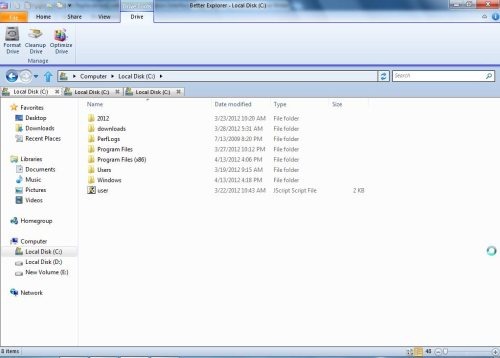
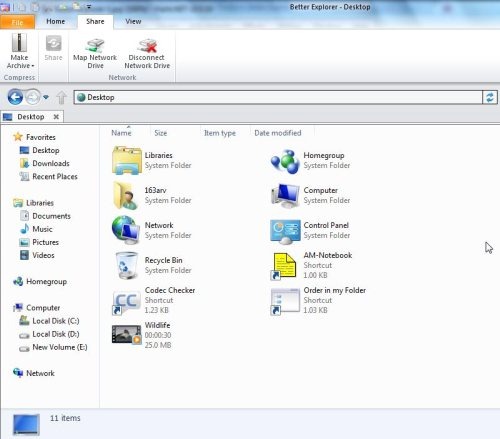
Better explorer also allows you to Zoom in and Zoom out the frames size. You can even perform network activities like map network drive, disconnect network drive with this Windows explorer replacement.
Note: .NET Framework 4.0 FULL is required on your PC and it’s quite slow in Windows 7 64 bit, when I tried it out.
This freeware also allows you to copy or move any documents, desktop items or download to other destination.
Key Features Of This Windows Explorer Replacement:
- Provides excellent ribbon interface.
- Support multiple tabs.
- Allows to create clone tabs.

- Customizes the icons as list or grid format.
- Allows set the startup location.
- Enables you to copy any path on Windows explorer.
- You can even move or copy files, documents to any other destination.
- Allows to hide selected items.
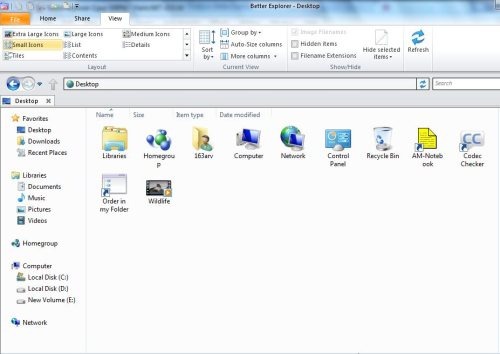
- One click refresh option.
- Allows to customize your quick toolbar.
- Embedded with Synchronized “command prompt” .
- Perform file and folder option like cut, copy and paste.
- Allows to compress files with this Windows Explorer Replacement.
How to Install Better Explorer On Your PC:
- Visit the web page to download Better explorer on your PC.
- Click on download link.
- An *.exe file would be downloaded to your PC.
- Double click on setup downloaded.
- Follow further instructions to complete the installation.
- Launch the Better Explorer on your PC and enjoy it.
Better Explorer is a free software which offers an excellent explorer replacement for Windows 7. But trying this made me bit confused as it works really slow on my PC. In fact, it has many amazing, embedded features.
You must also give a trial to this free Windows explorer replacement.
