FireFTP is a free FTP client software extension package for Mozilla Firefox using which you can access FTP/SFTP servers with ease. It is a basic FTP client software developed specifically for Mozilla Firefox. After getting downloaded as an add-on package, it can be activated or deactivated from the Firefox browser itself. The FTP client software has received huge popularity as more than 2 million users have downloaded this add-on package.
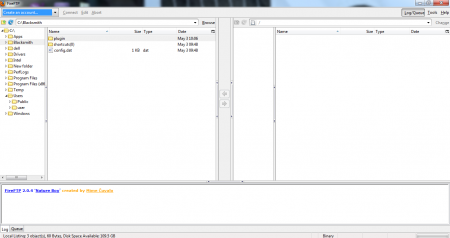
This free FTP client software is a powerful software for securely transferring your files. It uses the services of the basic File Transfer Protocol (FTP) as well as the Secure FTP and SSL FTP. That enables the user to securely transfer the files using the Mozilla Firefox browser, without having the concern of safety. FireFTP is flexible enough for any platform. As it’s an add-on for Mozilla Firefox it can get installed on any platform where Mozilla can operate.
Features of This FTP Client:
- No installation required. After downloading it, the software integrates itself directly as an add-on package.
- It’s available for free of cost.
- Provides the essential security feature for your data transfer operations.
- Comparison of the various directories and subdirectories.
- Synchronisation of your directories during navigation.
- File Hashing by generating hashes of the various files.
- Integrity checking and remote editing.
- Export/Import files, Drag and Drop feature.
Working And Interface Of This FTP Client:
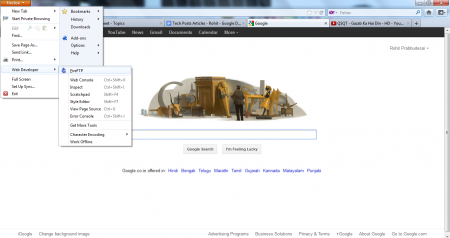
As stated earlier, FireFTP is an add-on package. I faced two problems initially. After installing the add-on on my Mozilla firefox 3.6; it gave me an error stating that FireFTP was not supported on this version. I downloaded the latest version, Mozilla 12 instantly. I had no clue about running the software then! After digging deep, had to go to the Web Developer tool and from there I could launch the FireFTP software. 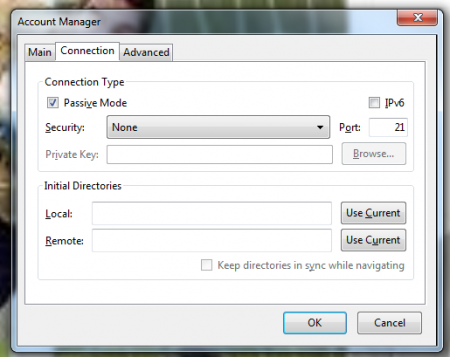
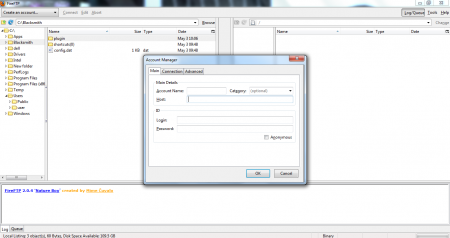
The interface is very simple and conveniently designed for file transfer system. You need to create an account before using FireFTP. There are three main tabs. Account, Connection and Advanced. Under the account section, you need to enter Main details and the ID information. You can set the connection related settings using the connection tab. Advanced tab, is used for higher order settings. There is a partition which separates the two connecting portals. You can either connect, edit or abort. The files from your PC are listed on the left hand side, with an explorer view.
You would also like to check out Selteco FTP client reviewed by us.
The Final Verdict:
FireFTP is probably the best add-on package available with the Mozilla Firefox. This FTP client is very easy to use and very secure to use. On the flip side, it’s incompatibility with the earlier Mozilla versions is a worry! On the whole, FireFTP is the one for you if transferring files securely is what you are looking for.
