Send To My cloud is a simple web application to bookmark or save links of the webpage in cloud. This web application lets you save or bookmark your favorite links on your cloud. The web app allows you to create an online cloud account in which you can save as many links of any webpage. Send To My Cloud supports Google Chrome browser, Firefox browser, and Internet explorer.
You can easily download Send To My Cloud extension according to the browser you are using. Moreover, Send To My Cloud app is also coming for iPhone, iPad, and Android. Beta version might be the reason of unavailability of the app for smart devices. But Send To my Cloud works great by saving any webpage link and then accessing them at any point of time from your cloud.
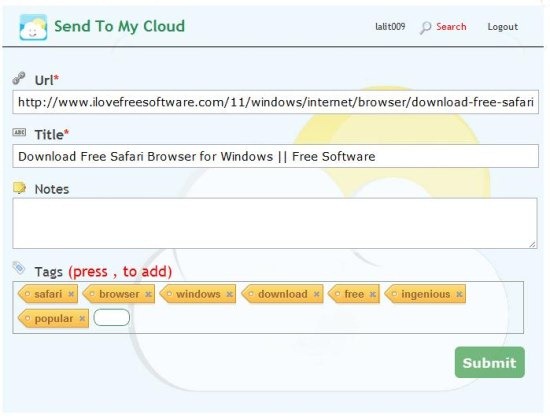
According to the developers of the web app, you can flag the web links to be downloaded for offline reading. But when I tried the feature, it didn’t work. May be the web app is in beta version, that is why the offline reading is not working fine. Hopefully, it may be fixed in the final version of the app.
Why Do You Need Send To My Cloud Application:
All of us browse internet and come across the webpage links which we might want to save for future reference. Many browsers such as Google Chrome browser, Firefox browser, Safari browser, and the like allows you to add bookmarks of your favorite web links. However, it becomes difficult to sync link between different browsers.
This is where Send to My Cloud comes for help. Instead of saving your bookmark in a particular browser, you can save it in the cloud, and then access it from any browser, even remotely. And once the smartphone apps are launched, you will be able to access your bookmarks from Android and iPhone as well.
How To Use And Save Links With Send To My Cloud:
I tried “Send To MyCloud” app on my Google Chrome browser with its Chrome extension. It goes same with all other browser which you are using.
Step 1: Download and install Send To My Cloud extension for your default browser.
Step 2: Sign-up with the web service i.e., Send To My Cloud. Login with the credential of your “my cloud” account.
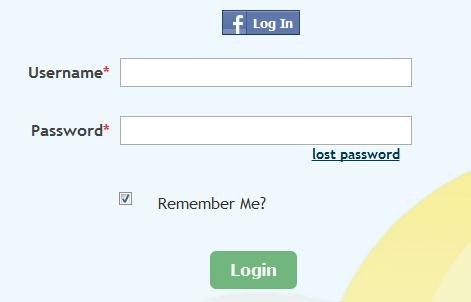
Step 3: Now open the link on the browser which you want to save.
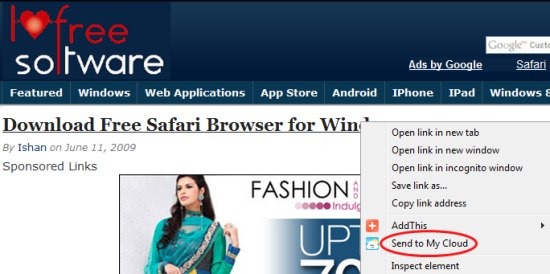
Step 4: Right-click on the link and then click on “Send To My Cloud” option.
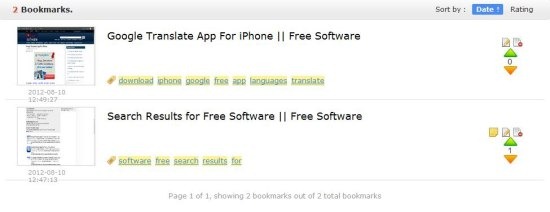
Step 5: Check your “Send To My Cloud” account and access the links saved anywhere and anytime.
Features:
- Save or bookmark desired webpage links.
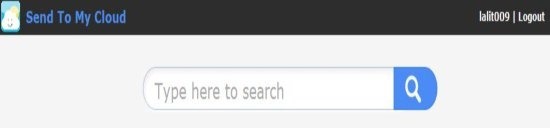
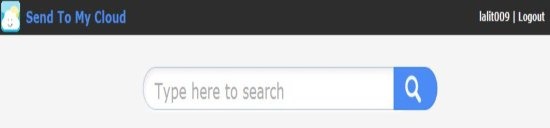
- Has a smart search bar to search for any specific link from the list links saved.
- Saves URL, Topic of the link, notes and tags.
- Select the appropriate tag of your choice.
- Saves the image of the webpage too.
- Unique username and password.
Send To My Cloud is one of the best ways which I found to save the link and its related information online. Also, one of the great part is its unique app account. Just create and start saving the webpage links to read it later at any point of time and anywhere. Best for those who want to get rid of browser bookmarks.
You can check out Spool web service to save and read online content.
