Update 2022: This website no longer exists. Use some other alternative instead.
Meaki (read “mee kee”) makes it easy for anyone to clip web pages into visually engaging Clipsets. A Meaki Clipset consists of a set of Clips organized in a way that makes sense to you. Thus, all you need to do is find your favorite webpages, clip them together and share them with your friends. It is not only fun but also helps one keep their favorite sites safe in one location.
Generally, Meaki Clipsets are used to plan a vacation, go for shopping, prepare a school project or even help you with your office work. One can say that it is one of the best software used for organizing things in an official or personal manner.
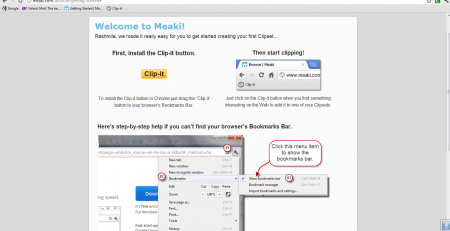
Features of this service to clip web pages:
- Enables to clip web pages together into a collection of Clipsets.
- Can be used free of cost.
- The Clipsets can be shared on social sites with friends/colleagues or kept private.
- A Clip-it button enables to save and share any website just with a simple click.
- Meaki enables the user to organize their favorite websites.
- It’s simple interface helps one go about the site with an ease that new users won’t find difficult to comprehend.
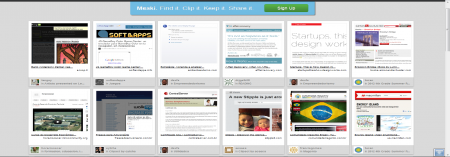
How to clip web pages:
The clip-it button on your web browser helps to organize your favorite webpages into a Clipset. The descriptions along with the other informations about the Clipset can be edited. Any Clip of a Clipset is composed of two parts or rather two pictures. The first part or the first picture is a snapshot that helps you identify the webpage while the second part takes you to the whole webpage. The Clipsets can be shared with friends via social networking sites like Facebook or through e-mails.
Drawbacks:
The only drawback of meaki is that it can make any user’s computer affiliated to cookies.
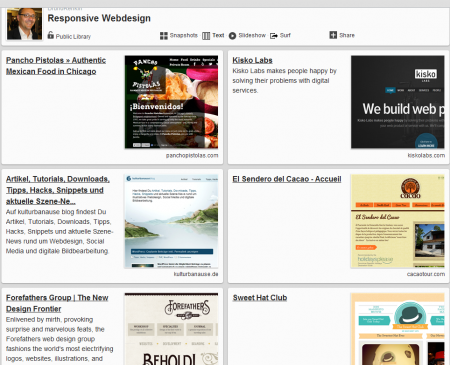
Downloading and Installation:
The Meaki Clip button is easy to install. First, you need to go to the Getting Started page and follow the instructions. Once, you’re done with it, you will find the clip-it button in the bookmarks section of your web browser. Browse through the net to find an interesting page and then ‘clip-it’ in one of your existing Clipsets or create a new one.
Verdict:
You have a set of favorite webpages? Or, you need to refer to a number of webpages for your office work? It’s time you really get Meaki. Meaki Clipsets will not only help you organize your much needed webpages through Clips but also it will help you stay sorted.
