CCFinder stands for Creative Commons Finder and is a free image finder software with no ordinary task. It can help you extract images which have been issued a Creative Commons license so that you can easily re-use them and modify them without violating any copyright laws. The simplicity and ease of use of this software is something which would leave you yearning for more. Although, there are limited features in this software, yet you can protect yourself from any copyright infringement.
Installing and using this free image finder
Installing CCFinder is quite simple and is completed in a couple of minutes. Here are the steps-
- Download the setup from the website.
- Install the software on your system after the download is complete. Installation is completed in a jiffy and you simply need to follow the instructions and make a few mouse clicks.
- The software is activated once you register by entering your email-address. A link is e-mailed to you by Abelssoft for the activation of CCFinder and the software becomes accessible to you as soon as you click on the link.
You can also check out free photo organizers.
CCFinder is a breeze to use. Here is how you can use it-
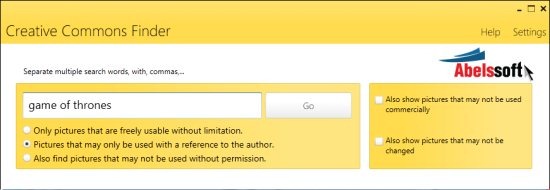
- All you need to do is enter the required keywords for searching the image and hit go. There are a few additional options and they can be checked as per your requirements.
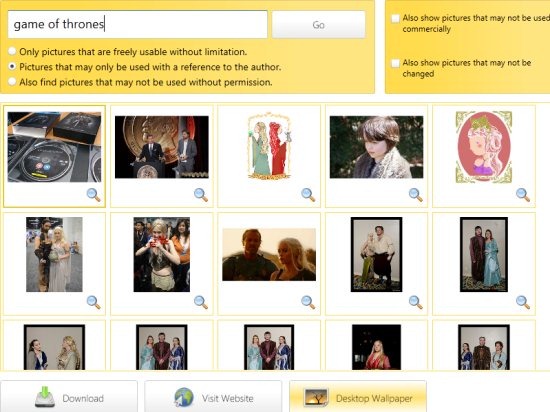
- Once the images are found, you can download a particular image, choose them as display wallpaper or visit the website.
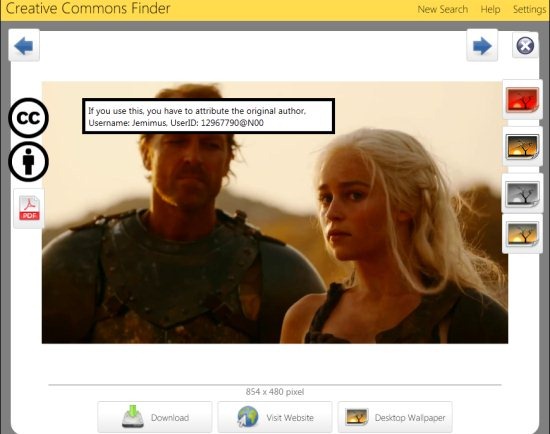
- You can also select a particular image and modify it by applying filters such as sepia filter, contrast filter and grayscale filter.
Interface
CCFinder has a very impressive and clean interface. Though the options are minimal yet everything is neatly stacked so that you can easily choose the kind of images you wish to find. Sophisticated users might not take much delight in using the software but the simplicity of this free image finder is what sets it apart.
Cons
The only issue with CCFinder is that the search is limited and this can be attributed to the fact that the images which are found are based are such that they can be re-used or others which cannot be used at all. Besides, only one filter can be used while for using other filters you need to spend some extra pennies.
Verdict
CCFinder is a good option if you wish to find the images that can be used for commercial purposes. You can build upon and modify these images without facing any issues. CCFinder also tells you what additional requirements you need to fulfill so that you have a good experience. For instance, you can know where you need to use the reference to the author or freely use the image without any issue. Hence CCFinder free image finder software can be put to a great use and of course tried since it comes for free. The software is simple to use and hence there is no reason as to why you cannot try it!
Download CCFinder here!
