Toolwiz Pretty Photo is a free photo editing software which makes your pictures look more beautiful. Besides doing basic image editing functions like resize, crop, flip/rotate, adjust brightness/contrast etc. Toolwiz Pretty Photo provides options to add frame, shadow, shapes, text, lines arrows, or talking bubbles to your picture. You can also wrap your image, or polish, or change its skin. You also get plenty of filters to change the whole look of your picture in one click. This really helps in beautifying your picture.
Another very exciting feature of this free photo editing software, called ‘Screen Capture’ makes it no less than any other screen capture software. This feature allows you to take screenshots from your desktop and add shapes, or text to them.
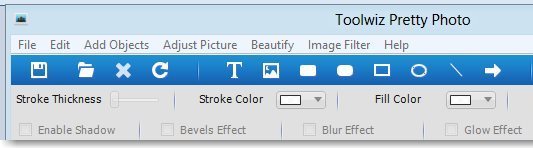
You might be wondering how your pictures look after applying all these effects. Lets see what all you can do to your pictures with Toolwiz Pretty Photo and have a look at some of the effects.
Edit Photos
Toolwiz provides some basic functions like Crop, Rotate, or Flip to edit your photos.
Add Objects to Photos
You can add plenty of objects like text, image, shapes, lines, arrows, pop up messages, or symbols through the ‘Add Objects’ menu. This lets you create a comic look to your pictures. You can also choose to draw objects by yourself.
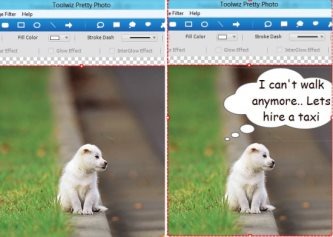
In the screenshot above, on the left side is the original photo, and on right side I have added a balloon to it.
Adjust Picture
This free photo editing software lets you Resize your photos. You can set the Hue/Saturation, Color Balance, Brightness, Contrast, Curves or Picture Levels. You can also add Frames or shadow to your picture.
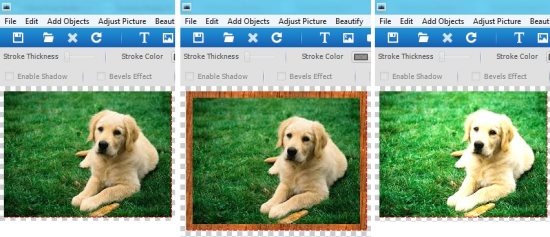
Original Picture Add Frame Tool Curve Tool
Beautify Photos
Its a wonderful feature since it lets you do some make-up touch ups like adding blush, eye shadow, eyebrows, or eyelashes to your pictures. You can add ‘Pupils’ which gives your picture an appearance as if you are wearing colored lenses. These effects make it a credible free photo editing software that lets you beautify photos.
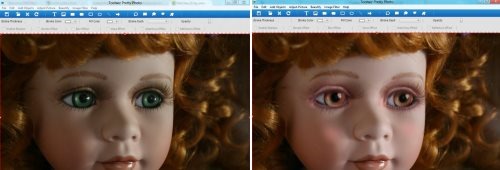
Original Picture Blush, Pupil and Eyelashes Effects
You can also add some special extra effects like Soft Focus, Color Paint, Mosaic Paint Image Wrap, or Skin Polish. You can even change the color of your skin.
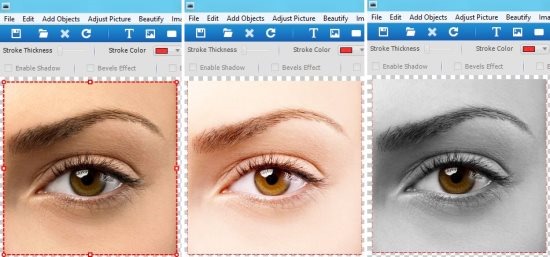
Original Picture Change Skin Color Paint
Image Filters in this Free Photo Editing Software
Toolwiz offers a number of image filters to give a new look to your picture in a single click. You can choose from Art Filters like Gotham, Kelvin, Lomo, Toaster, Rainbow, Pencil, Color Sketch, etc., or use other image filters to Emboss, AntiAlias, Blur, or Add Noise to your image.
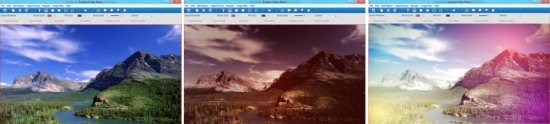
Original Picture Toaster Effect Rainbow Effect
Also check Hornil StylePix, which supports around 30 image filters.
Toolwiz is a good software if you want to give an extra pretty look to your photos. The only drawback I found is that it does not offers a “Repeat Undo” option.
You can download Toolwiz Pretty Photo for free and give it a try.
