So, recently we talked about Windows Repair, a very useful little utility that you can use in order to clean system errors and all the problems that are left after a virus infection has spread through your Windows OS. Today, we’re gonna talk about yet another software coming from the same developer, which would be Tweaking.com, and this one can be used in order to tweak various aspects of the system, hence the name, Advanced System Tweaker.
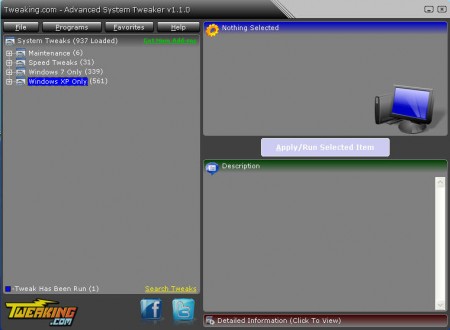
Advanced System Tweaker offers hundreds of different tweaks that you can do to your Windows system, like you can see from the image above, which is the default window of this tweaking application. Before you get to this window though, there will be another pop up window where you can create backups of both your system via a Restore point and your registry by creating a Registry backup. This is necessary in case you activate something which you don’t like, so that you can restore the system the way it was, definitely create backups if you plan on playing around with this utility.
Tweaking Window system with Advanced System Tweaker
Window 7 and Window XP are not exactly the same and they have different ways of doing things, that’s why Advanced System Tweaker has 2 different sections where different tweaks are contained for each of these two systems. Listing all the little tweaks that this tweaking app can do would take a long time, since there are literally hundreds of them, but we’ll list some of the major categories, for Window 7 these would be:
- Context Menu Adds
- Disable Services or Functions
- Enable Functions or Services
- Miscellaneous Tweaks
- Speedup Tweaks
Windows XP has a lot more options offered for tweaking, perhaps because it’s older, or maybe it’s easier to tweak Windows XP, who knows, but here are some of the more interesting categories:
- Add Functions
- Hide Functions
- Outlook and Outlook Express Functions
- Restore Functions
These are just some, look at the image below to see them all:

As you can see each one of these has several different sub-options which can be expanded, that’s where actual tweaks are hidden. Each one of the tweaks is basically a command prompt order which will be executed once that you click on the Apply/Run Selected Item button:
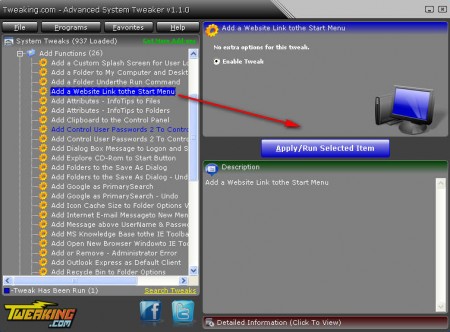
The specific tweak that we’re applying on the screenshot above is an option to add a website link to your Start menu, which is a useful tweak that some have probably wondered how to do. You can even speed up your PC with some of these tweaks, there’s actually a section of options for Speedup tweaks:
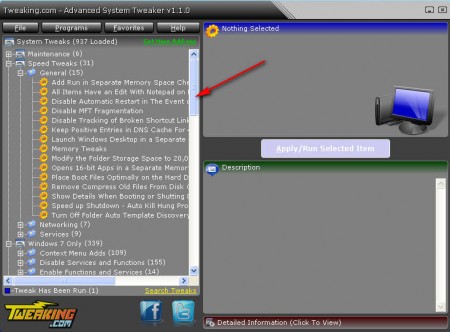
There’s fewer options than there are in other categories, but what’s offered is more than enough to speed up your PC at least a little bit. For example you can use the Memory Tweaks feature in order to switch where Windows loads programs so that more of them are loaded into RAM instead of page file which is slower. If you are a tweak freak then this is the tool for you, just make sure that you read what a certain tweak does, so that you don’t harm your system. Download Advanced System Tweaker free.
